Used Automatically Log WiFi Signal Strength Over Time Software for Windows?


Editors’ Review

Download.com staff
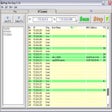
This application automatically logs your WiFi signal strength at customizable intervals. Monitor your connection in the background without interrupting your workflow.
Enlarged image for Automatically Log WiFi Si…
Automatically Log WiFi Signal Strength Over Time Software 0/1
  • Pros

    • Automatically logs WiFi signal strength.
    • Offers a wide range of logging intervals.
    • Easy start and stop functionality.
    • History log can be viewed and copied.
    • Minimizes to the system tray for background operation.
  • Cons

    • Limited interval options beyond one hour.
    • No visual representation of logged data.

Used Automatically Log WiFi Signal Strength Over Time Software for Windows?


Explore More


Full Specifications

GENERAL
Release
Latest update
Version
7.0
OPERATING SYSTEMS
Platform
Windows
Operating System
  • Windows NT
  • Windows Server
  • Windows 10
  • Windows Vista
  • Windows 7
  • Windows 8
  • Windows ME
  • Windows 98
  • Windows 2000
  • Windows XP
  • Windows 2003
Additional Requirements
None
POPULARITY
Total Downloads
3,452
Downloads Last Week
0

Report Software

Program available in other languages


Last Updated


Developer’s Description

Automatically log WiFi signal strength at specified intervals while working.
This software offers a solution to users who want to automatically log WiFi signal strength at specific intervals. The user chooses the required interval from a list: 30 seconds, 1 minute, 5 minutes, 10 minutes, 15 minutes, 20 minutes, 30 minutes, 1 hour, etc. There is a button to stop the program running automatically and another to run it during the interval. The history log can be viewed or copied to the clipboard. This application can be minimized to the system tray at the bottom right corner of the screen so that it can run in the background.

Download.com
Your review for Automatically Log WiFi Signal Strength Over Time Software