Used Block Nearby WiFi for Windows?


Block Nearby WiFi Analysis

AI Assisted Content ·

Not written by CNET Staff.

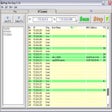
Block Nearby WiFi is a free application designed for Windows that enables users to manage and control nearby WiFi connections. This tool allows users to block specific networks, ensuring a more secure and personalized internet experience. It is particularly useful for individuals who wish to prevent unauthorized access to their devices or simply manage the networks they connect to.

Top Recommended Alternative

The software features a user-friendly interface, making it accessible for users with varying levels of technical expertise. Key functionalities include the ability to scan for nearby WiFi networks, view detailed information about each network, and block or unblock them as needed. This application is especially beneficial in environments with multiple WiFi signals, providing users with greater control over their connectivity.


Used Block Nearby WiFi for Windows?


Explore More


Full Specifications

GENERAL
Release
Latest update
Version
1.0
OPERATING SYSTEMS
Platform
Windows
Operating System
  • Windows 10
  • Windows 8
  • Windows 7
Additional Requirements
None
POPULARITY
Total Downloads
81
Downloads Last Week
0

Report Software

Program available in other languages


Last Updated


Developer’s Description

Hide unwanted wireless networks that show up on your home or office computers.
The utility is as simple as it gets, meaning that it performs a very simple role, to block unwanted and manage wireless connections. As you probably hinted, your actions are reversible, so you can always unblock a particular connection at any given time. Moreover, the program also displays a black and white list of the connections, based on your preferences. Therefore, you are unlikely to have a hard time finding a particular connection.A handy utility that provides a quick way to manage WiFi networks.

Download.com
Your review for Block Nearby WiFi
Download.com

AI Assisted Content Disclosure

Content created and reviewed by Softonic with information obtained from gae89, using AI.

CNET's editorial team was not involved in the creation of this content. Opinions, analysis and reviews were not provided by CNET.