Used MotoBlade Unlock for Windows?


Editors’ Review

Download.com staff
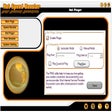
This USB application unlocks Motorola phones instantly, allowing use on any network and removing the subsidy password prompt for SIM card changes.

Top Recommended Alternative

  • Pros

    • Instant phone unlocking via USB
    • Enables use on any cellular network
    • Eliminates subsidy password prompts
    • Includes info read function
    • Features a compatibility test
  • Cons

    No Cons available


Used MotoBlade Unlock for Windows?


Explore More


Full Specifications

GENERAL
Release
Latest update
Version
1.39a
OPERATING SYSTEMS
Platform
Windows
Operating System
  • Windows ME
  • Windows XP
  • Windows NT
  • Windows 2000
  • Windows 98
  • Windows 10
Additional Requirements
Windows 98/Me/NT/2000/XP
POPULARITY
Total Downloads
49,470
Downloads Last Week
13

Report Software

Program available in other languages


Last Updated


User Reviews

3/5

6 User Votes


Developer’s Description

Unlock Motorola phones using a USB application.
Unlock your Motorola phone instantly with our easy to use USB software. Your unlocked phone can then be used on any cellular network, and you will no longer receive the enter subsidy password dialog when trying to change SIM cards. Features include an info read function and compatibility test.

Download.com
Your review for MotoBlade Unlock