Used Apply IP Message Blocker for Windows?


Editors’ Review

Download.com staff
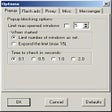
This tool effectively blocks direct IP advertising pop-ups. It provides one-click protection and utility features for a cleaner online experience.
  • Pros

    • Blocks direct IP pop-up ads
    • One-click protection
    • Displays current IP address
    • Clears cookies and temporary files
    • Guaranteed to stop all IP message pop-ups
  • Cons

    No Cons available


Used Apply IP Message Blocker for Windows?


Explore More


Full Specifications

GENERAL
Release
Latest update
Version
2.1
OPERATING SYSTEMS
Platform
Windows
Operating System
  • Windows 10
  • Windows XP
  • Windows 2000
  • Windows NT
Additional Requirements
Windows NT/2000/XP
POPULARITY
Total Downloads
35,891
Downloads Last Week
3

Report Software

Program available in other languages


Last Updated


User Reviews

3/5

10 User Votes


Developer’s Description

Block 'direct IP' pop-up ad windows.
Have you been hit by the newest form of unwanted advertising, or spam - Direct IP Advertising? Those gray window pop-ups. Apply IP Message Blocker can stop the spam! Features include: simple one-click access to complete protection against Messenger pop-up ads; always displays your current IP (internet protocol) address; clearing cookies, temporary Internet files, and hard drive space with one click; guaranteed to stop any kind of IP message pop-up no matter what software is used to send it.

Download.com
Your review for Apply IP Message Blocker