Used AnyMP4 Bluray Ripper for Mac?


AnyMP4 Bluray Ripper Analysis

AI Assisted Content ·

Not written by CNET Staff.

AnyMP4 Bluray Ripper is a trial version application designed for Mac users, specializing in the extraction and conversion of Blu-ray content into various digital formats. The software supports a wide range of output formats, ensuring compatibility with multiple devices, including smartphones, tablets, and media players. Users can easily convert their Blu-ray discs into formats such as MP4, MOV, AVI, and more, facilitating seamless playback across platforms.

Top Recommended Alternative

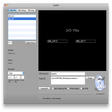
In addition to its conversion capabilities, AnyMP4 Bluray Ripper features a user-friendly interface that simplifies the ripping process. The application allows users to customize settings, such as video resolution and audio quality, to suit their preferences. Furthermore, it provides options for editing, including trimming and merging clips, enhancing the overall user experience. This tool is ideal for anyone looking to digitize their Blu-ray collection for easier access and management.


Used AnyMP4 Bluray Ripper for Mac?


Explore More


Full Specifications

GENERAL
Release
Latest update
Version
8.2.22
OPERATING SYSTEMS
Platform
Mac
Operating System
Mac OS X
Additional Requirements
  • macOS Catalina
  • macOS Mojave
  • macOS High Sierra
  • macOS Sierra
  • OS X El Capitan
  • OS X Yosemite
  • OS X Mavericks
  • OS X Mountain Lion
  • OS X Lion
POPULARITY
Total Downloads
50
Downloads Last Week
2

Report Software

Program available in other languages


Last Updated


Developer’s Description

Convert Blu-ray to MP4, MKV, AVI, MOV, WMV, FLV, M4V, WebM, and other 4K/1080p/720p video formats.

AnyMP4 Blu-ray Ripper for Mac is designed with many pre-defined output profiles. It highly supports most portable iOS and Android devices, such as iPhoneXS/XS Max/ X/8/7 Plus/7/6s Plus, iPod touch, Samsung Galaxy 7/6/5, LG G5, Sony, HTC, Moto, Xiaomi, HUAWEI, Microsoft Surface Book, Wii and others. It allows you to easily view movies on your smart phone or tablet. Whether the Blu-ray is copy-protected or self-burned, you can use this Blu-ray Ripper to rip the movie for your digital devices.

The professional Blu-ray Ripper for is equipped with many useful editing features to help you customize video effects before ripping the Blu-ray. For instance, you can rotate video position, cut the video length to only save the necessary part, crop video to remove the black edge, add personal text and image watermark, adjust output video effects like brightness, contrast, saturation and hue. If you need all titles like trailer, behind-the-scenes, you can merge various parts into one new video.

Thanks to the latest hardware acceleration technology, AnyMP4 Blu-ray Ripper gives you a super-fast Blu-ray ripping speed. It can rip Blu-ray to HD video format like MP4, MOV, MKV, AVI, WebM, TS and more. After ripping, you can enjoy the fantastic image and sound quality. In profile settings, you are allowed to set parameters, such as video codec, resolution, bitrate, frame rate, audio codec, audio channels, and so on.

With a concise user interface, you can rip Blu-ray to video in just few clicks. If the original Blu-ray contains multiple audio tracks and subtitles, this Blu-ray Ripper will show you all audio tracks and subtitles. Then you can select your preferred audio track and subtitle for the output video. The built-in player helps you preview the Blu-ray. Then you can quickly check the desired titles of the Blu-ray.


Download.com
Your review for AnyMP4 Bluray Ripper
Download.com

AI Assisted Content Disclosure

Content created and reviewed by Softonic with information obtained from AnyMP4 Studio, using AI.

CNET's editorial team was not involved in the creation of this content. Opinions, analysis and reviews were not provided by CNET.