CNET Editors' review
The last time we reviewed Synfig Studio, we were deeply impressed by this powerful freeware animation suite but more than a little daunted by the installation and setup process (make that processes). Synfig Studio is still totally free, but now it's also totally easy to install and easier than ever to use. Of course, creating digital animations is not exactly the same thing as applying the red-eye filter in your image editor; it's still a detailed process that involves a lot of steps. But Synfig offers tons of help, tutorials, examples, and extras, making it as easy or easier to use than other Flash animation tools, and it's fun to see your animations come to life.
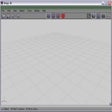
Synfig Studio's user interface consists of three floating windows: the Toolbox, which serves as the main window and control panel; the Canvas, or working surface, which can be more than one instance; and Panels, which centralize access to a variety of project tools and information. Panels can be opened, closed, ragged around, and changed in various ways. The Toolbox looks like a cross between a calculator pad and a tool palette, with a variety of icons for accessing system features and tools. We started with the wiki-style Help file, though we could also view tutorials and a Reference page and access Web-based resources. The Canvas page opens with a default Root Canvas, "Synfig Animation 1," but its toolbar suggested doing various things to ducks, so we quickly retreated to the comfort of the Help file and tutorials. We got our feet wet in the Help file by clicking the heading labeled "Diving In." It turns out "ducks" aren't waterfowl at all but instead are simple means of controlling a parameter, such as the radius or diameter of a circle.
There's something to be said for the fact that Synfig Studio exists at all: you can download, for free, a full-featured animation creation studio that can create digital animations surpassing anything Hollywood could do not so long ago. Anyone who has used a video editor or similar tools should be able to learn the basics of this capable suite, with some time and effort, not to mention a little animation and some fun.

Publisher's Description
From Synfig:
Synfig Studio is a vector based 2D animation program. It is designed to be capable of producing feature-film quality animation. It eliminates the need for tweening, preventing the need to hand-draw each frame. Synfig Studio features spatial and temporal resolution independence (sharp and smooth at any resolution or framerate), high dynamic range images, and a flexible plugin system.
More Products to Consider
- Print to PDF from Windows applications and optimize the PDF out...Download
Installed
Smart Install - Create stop-motion animated videos.Download
Installed
Smart Install - Create, animate, and render 3D images on your PC.Download
Installed
Smart Install - Open, view, and print any PDF file.Download
Installed
Smart Install - View DWG, DXF, and DWF drawings.Download
Installed
Smart Install - Simplify design process and gain better control over placement ...Download
Installed
Smart Install - Transform any printable document into PDF format.Download
Installed
Smart Install - Convert PDF to Word file format.Download
Installed
Smart Install - Create morphing images and animation sequences from digital pho...Download
Installed
Smart Install - Create, visualize, document, and share your CAD projects.Download
Installed
Smart Install - Create charts, graphics, diagrams, and maps easily.Download
Installed
Smart Install - View and read PDF documents without images.Download
Installed
Smart Install - Open, view, edit, and save PDF files without Adobe Acrobat.Download
Installed
Smart Install - Create and add Flash animations to your Web sites.Download
Installed
Smart Install - Install these core files before running Synfig Studio.Download
Installed
Smart Install - Create 3D models and upload them to Google Earth.Download
Installed
Smart Install - Convert Adobe Flash SWF to WMV format file.Download
Installed
Smart Install - Get these runtime libraries for Synfig Studio.Download
This download is served from an external site
closeNOTICE: This link will open a connection to a third-party site. CNET cannot ensure the security of software that is hosted on external sites.
Sponsored Products
Installed
Smart Install - Open, view, and convert Adobe PDF files.Download
Installed
Smart Install - Work with drawing, photo editing, and page design tasks of any ...Download
Installed
Smart Install - Warp and morph your images and save the results as a Flash movi...Download
Installed
Smart Install - Create Adobe PDF files with the push of a button.Download
Installed
Smart Install - Optimize 3D models for real-time visualization.Download
Installed
Smart Install
-
All versions:
3.6 starsout of 16 votes
-
Current version:
2.0 starsout of 1 votes
-
My rating:
Write review
Results 1-1 of 1
-
"Ok interface, easy enough to use, but clunky"
Version: Synfig Studio 0.63.05
Pros
It works very much like Flash
Mechanics are logical
Once you figure out the interface, it works wellCons
The interface could be better
It's clunky, and the animation I produced through the tutorial was also clunky.
The tutorial was wrong about a few things, and unclear about othersSummary
I would have kept this program despite the weird interface and its slow performance, but when I viewed the animation I'd created - a ball moving from left to right (3 keyframes), it was jerky, pixellated, and simply looked bad. If it can't manage a simple ball, I don't want to see what it can't do with anything more advanced.
Results 1-1 of 1
Add Your Review
Submit your reply
E-mail this review
Report offensive content
Previous Versions: