Used SeaTools for Windows for Windows?
Editors’ Review
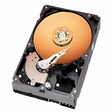
Hard disk maker Seagate's SeaTools for Windows scans your disk drives for driver corruption, broken master boot records, viruses and Trojans, spyware, and any hardware conflicts. You'll have to take its word that it's working, though, because it doesn't offer any scan details.
SeaTools' user interface is extremely stark: basic menu items line the top of a plain window, with detected drives are listed below. It detected our only drive, along with its serial number, model number, firmware revision, and drive and test status. We went through each test that the program offered, starting with the S.M.A.R.T. Check. The program quickly scanned our drive, and it passed the test, but that's all we know; SeaTools doesn't display scan results. The Short Drive Self Test had the same outcome. The Long Drive Self Test, however, never progressed past a certain point. We eventually had to abort the test, which caused the program to freeze and shut down. We later learned from the Help file that the test can take up to four hours and works in 10-percent increments. The Advanced Tests feature stern warnings that you can lose data or render your drive unusable should you proceed. That was enough for us--we left it untouched. The one place SeaTools displays useful scan data is the Drive Information feature, which offers a detailed report that can be saved to a file.
SeaTools for Windows is free. It installs desktop icons without asking, but it uninstalls cleanly. We recommend it for intermediate to advanced users.
Explore More
HP Deskjet F2480 All-in-One Printer drivers
FreeHP LaserJet Pro CP1025nw Color Printer drivers
Free
Smart App Lock for Windows 10
FreeHP LaserJet Enterprise 600 Printer M602 series drivers
FreeDriver Talent
FreeStudio 3T
FreeBatteryCare
Free
Standard Enhanced PCI to USB Host Controller
FreeBulk Rename Utility
Free
D-Link AirPlus G DWL-G510 Wireless PCI Adapter(rev.C)
FreeRename Master
FreeFree PC Audit
Free