Used Dimension 4 for Windows?
Dimension 4 Analysis
AI Assisted Content ·
Not written by CNET Staff.
Dimension 4 is a free, specialized utility designed to keep your computer's time perfectly aligned by communicating with global atomic time servers. This lightweight tool ensures that your PC never drifts more than a few milliseconds from the true time, providing a level of accuracy that standard operating system tools often struggle to maintain consistently.
Top Recommended Alternative

For users looking at alternatives, Dimension 4 occupies a similar space to NetTime or the built-in Windows Time service, but with significantly more control and server options. Much like Atomic Clock Sync, it offers a dedicated interface to monitor the synchronization process in real-time.
Dimension 4 utilizes the Network Time Protocol (NTP) to ping high-precision time servers across the globe. The software comes pre-configured with an extensive list of reliable servers, allowing users to select the most geographically appropriate one for reduced latency. It operates discreetly in the system tray and automatically adjusts your clock.
Reliable time synchronization
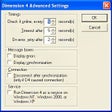
The level of customization available is a significant step up from basic time-sync utilities. Users can choose between various synchronization methods, such as SNTP or Time protocol. However, it is important to note that the interface has not seen a major visual overhaul in years, making it look quite dated on modern high-resolution displays.
Pros
- Extensive list of global time servers
- Highly customizable synchronization intervals
- Runs seamlessly as a background service
Cons
- User interface looks very dated
Bottom Line
Precision timekeeping made simple
Dimension 4 remains a top-tier choice for anyone who demands absolute accuracy from their workstation or server. While the aesthetic reminds you of an older era of computing, its functional reliability is beyond reproach, offering more server choices and more frequent update cycles than default system settings.