Used SVG Explorer Extension for Windows?
Editors’ Review
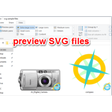
SVG Explorer Extension adds thumbnail rendering and preview support for Scalable Vector Graphics files within file explorer. The extension integrates with the shell to generate thumbnails for SVG files and display content inside the preview pane. It processes SVG markup to render previews that reflect paths, shapes, fills, and styles.
Top Recommended Alternative

SVG Explorer Extension’s thumbnail output responds to Explorer view modes, including larger icon sizes, allowing identification of files directly in folders. It also operates as a background shell component, activating when SVG files are enumerated, and exposes no standalone interface, depending entirely on Explorer’s existing thumbnail and preview mechanisms.
SVG Explorer Extension registers SVG as a thumbnail-capable format within the Explorer shell. When folders are scanned, it parses SVG structure and renders vector elements into bitmap thumbnails. Rendering reflects document dimensions, viewBox settings, and visible layers. Gradients, strokes, fills, and basic filters are interpreted to produce a representative image. Thumbnails update according to icon size selections, aligning output with the current Explorer layout for consistent visual identification within folders.
Shell-based SVG
Beyond thumbnails, the extension supplies SVG rendering to the File Explorer preview pane. Selecting an SVG file triggers inline display without opening external applications. The preview reflects the SVG document’s structure, scaling to pane dimensions while preserving aspect ratios. This rendering path mirrors thumbnail logic, using an identical interpretation of paths and styles. However, it lacks configuration controls, relying on native desktop mechanisms to manage output and behavior.
The extension functions entirely as a shell add-on, with no independent viewer or configuration console. Installation places the necessary handlers that Explorer calls during file enumeration and selection. Operation occurs automatically when SVG content is encountered. The extension does not modify SVG files or embed metadata, focusing solely on visual rendering for thumbnails and previews within the file manager through registered shell interfaces and background rendering routines during enumeration cycles.
Pros
- SVG thumbnail rendering in Explorer
- Preview pane SVG display
- Shell-integrated background handlers
- No modification of source files
Cons
- No configuration controls
Bottom Line
Explorer enhanced
SVG Explorer Extension provides shell-level SVG thumbnail and preview rendering inside File Explorer. It includes background handlers that parse SVG markup and generate bitmap representations for icons and preview panes. The software focuses on visual representation only and does not alter source files. It exposes no standalone interface or editing tools. Its scope is limited to rendering SVG content as thumbnails and previews within the Explorer environment via shell components.
What’s new in version 0.1.1
- Released version
Used SVG Explorer Extension for Windows?