CNET Editors' review
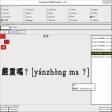
Long on features, and short on looks, NJStar Communicator gets everything right except its hideous interface. The unreadable fonts and poorly drawn icons recall the bad old days of Windows 3.x, and most functions are squirreled away in various menus, making them hard to find quickly.
Which is a shame, because there really are a lot of them, and they're quite useful. NJStar Communicator allows you to input Chinese, Japanese, and Korean (CJK) text in any Windows application. It also can convert between different character sets, such as Unicode and Big5, or translate documents into GIFs, which will always appear the same no matter who's viewing them. On top of all that, it includes an e-mail client and a simple SMTP server.
In the end, NJStar Communicator leaves a Jekyll and Hyde impression. It's definitely useful in situations where people send and receive messages in different CJK languages. However, the interface needs a redesign from the ground up.
Publisher's Description
From NJStar Software:
NJStar Communicator is Chinese, Japanese, and Korean (CJK) communication software, as NJStar Communicator gives you both easy viewing capabilities and allows for CJK character input in normal Windows applications. It also comes with a universal code converter, which converts between all CJK language codes (including the new Unicode) as well as the GIF picture format. (It can automatically detect CJK code and convert a whole Chinese, Japanese, or Korean book into GIF picture files.) NJStar Express Mail, which is bundled with the software, allows users to send Chinese (both simplified and traditional), Japanese, and Korean email messages with no corruption by using automatic text encoding. You can even attach CJK message in GIF picture format so that the receiver can read the message instantly without the need for a multilingual support program.
More Products to Consider
- Process Chinese characters in Western version of Windows.Download
Installed
Smart Install - Write, read, edit, and print Chinese text on English or western...Download
Installed
Smart Install - Display and print Chinese, Japanese, and Korean characters in W...Download
Installed
Smart Install - Browse Chinese, Japanese, and Korean Web pages.Download
Installed
Smart Install - Hear the Athan (Azan) automatically five times a day at each pr...Download
Installed
Smart Install - Look up words in thesaurus and dictionary from almost any progr...Download
Installed
Smart Install - Type and edit text in Japanese characters on western versions o...Download
Installed
Smart Install - View satellite pictures, maps, terrain, buildings and other glo...Download
Installed
Smart Install - Discover how to type and improve your typing.Download
Installed
Smart Install - View your real-time physical position on moving Google Map.Download
Installed
Smart Install - Get reminders about prayer time.Download
Installed
Smart Install - Translate any text on a Web page and other applications just by...Download
Installed
Smart Install - View, read, and convert EPub eBooks.Download
Installed
Smart Install - Write and edit mathematical equations as easily as with pencil ...Download
Installed
Smart Install - View, edit, and share Geospatial data.Download
Installed
Smart Install - Learn touch-typing with a program that dynamically adjusts trai...Download
Installed
Smart Install - Translate applications, Web pages, and documents from English t...Download
Installed
Smart Install - Get your complete reference to Holy Quran with different exeges...Download
Installed
Smart Install - Get English and Sinhala definitions with technical terms glossa...Download
Installed
Smart Install - Add new words, write own notes for each word, and update explan...Download
Installed
Smart Install - Provide Chinese English two way dictionary.Download
Installed
Smart Install - Allow you to perform a live saving operation on your Windows PC...Download
Installed
Smart Install - Add new words, write own notes for each word, and update explan...Download
Installed
Smart Install - Input Chinese into different Windows applications.Download
Installed
Smart Install
-
All versions:
3.6 starsout of 20 votes
-
Current version:
0 stars Be the first to review this product -
My rating:
Write review
-
"Oh..... this is rather good to use :D"
Version: NJStar Communicator 2.75.9618
Pros
Very easy to manage once you get the hang of it.
Cons
Getting different translations from comparing with a textbook.
Summary
overall this is a good product, i highly recommend this if you want to use pinyin or something.... suddenly wanted to use it because i have a japanese presentation tomo >.< eeepp!!! anyways good to use so far :D
-
"It's not in"
Version: NJStar Communicator 2.70.61018
Pros
Perhaps it is useful for Win98
Cons
There's no need to be tested or used
Summary
If you know what the windows XP or Vista can do with Chinese or other east asia languages, you will disdain to cast a look at this postiche software. Only if you are using Windows 98, you can think out whether to have a try or to chage the OS.
-
"free..."
Version: NJStar Communicator 2.70.61018
-
"useful but causing my pc slow"
Version: NJStar Communicator 2.70.61018
-
"Honestly to speak out, it's not much of help for people like me...saddening.."
Version: NJStar Communicator 2.70.61018
Pros
me only likes the hanyu pinying and that's all it is.
Cons
There's no English translation helps when you types in an English word?? Why?? How do me use it IF me dunno how to choose the chinese character listed out eh?? Not that much of helps for people whom only CAN speaks Mandarin BUT^ cannot reads it, you see...that's the saddening point.
-
"can use, but it make many computer hang."
Version: NJStar Communicator 2.70.61018
Pros
easy to search the word.
Cons
it hang my computer, and also all my friend's computer.
-
"Reliable software"
Version: NJStar Communicator 2.70.61018
Pros
Reads and writes chinese without any problems
Cons
It's not shareware
-
"i really like it"
Version: NJStar Communicator 2.6
Pros
fast, useful
-
"virus found"
Version: NJStar Communicator 2.51.41
Pros
none, deleted it immediately
Cons
as soon as i tried to install it, my Mcaffee antivirus found a trojan horse or something. Don't download it - 27/2/2006
-
"cnt read all the chiese word...no very good..."
Version: NJStar Communicator 2.5
Pros
cnt read all the chiese word...no very good...got some word still appear???? n some time dont want to write in eng but NjC change it.have to close it to write eng..