Used Pronunciation Coach for Windows?


Editors’ Review

Download.com staff
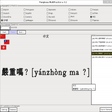
Pronunciation Coach is a virtual tool designed to enhance English pronunciation. Users type words or phrases to generate detailed pronunciation models, featuring audio, video, waveforms, and phonetic symbols for comprehensive learning.
Enlarged image for Pronunciation Coach
Pronunciation Coach 0/1
  • Pros

    • Processes various input types (words, names, addresses, numbers).
    • Creates pronunciation models with audio feedback.
    • Offers video showing tongue, vocal folds, velum, and lips.
    • Displays waveforms for timing, pitch, and speech intensity.
    • Provides phonetic symbols for individual speech sound identification.
  • Cons

    No Cons available


Used Pronunciation Coach for Windows?


Explore More


Full Specifications

GENERAL
Release
Latest update
Version
1.8.1
OPERATING SYSTEMS
Platform
Windows
Operating System
  • Windows 7
  • Windows 8
  • Windows Vista
  • Windows 10
Additional Requirements
None
POPULARITY
Total Downloads
2,513
Downloads Last Week
0

Report Software

Program available in other languages


Last Updated


Developer’s Description

Improve your English pronunciation skills with the virtual pronunciation coach.
Pronunciation Coach shows you how to pronounce words or phrases. You simply type in any word (including names, addresses and number sequences) and then create a model of the pronunciation. Each model contains audio for listening to the pronunciation, video for viewing the tongue, vocal folds, velum, and lips, waveforms for viewing timing, pitch, and speech intensity, phonetic symbols to identify the individual speech sounds.

Download.com
Your review for Pronunciation Coach