Used Fresh Memory for Windows?


Fresh Memory Analysis

AI Assisted Content ·

Not written by CNET Staff.

Fresh Memory is an educational software designed to assist users in language acquisition through the use of flashcards and spaced repetition techniques. This application enables learners to create customized flashcards, making it easier to memorize vocabulary and phrases. The spaced repetition algorithm optimally schedules reviews of material, ensuring that users retain information more effectively over time. Additionally, Fresh Memory supports multimedia elements, allowing users to incorporate images and audio into their flashcards for a richer learning experience.

Top Recommended Alternative

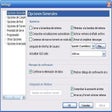
The software's user interface is intuitive, making it accessible for learners of all ages. Users can categorize their flashcards, track their progress, and adjust settings to tailor their study sessions according to personal preferences. Fresh Memory is compatible with Windows, making it a suitable choice for users looking to enhance their language skills in a structured and engaging manner.


Used Fresh Memory for Windows?


Explore More


Full Specifications

GENERAL
Release
Latest update
Version
1.4
OPERATING SYSTEMS
Platform
Windows
Operating System
  • Windows 7
  • Windows 8
  • Windows Vista
  • Windows XP
  • Windows 10
Additional Requirements
None
POPULARITY
Total Downloads
85
Downloads Last Week
0

Report Software

Program available in other languages


Last Updated


Developer’s Description

Study languages and other subjects with spaced repetition method.
Fresh Memory is an education application for studying languages with Spaced Repetition method and flash cards. Its primary purpose is to learn and repeat foreign words. But other areas can be studied as well, for example, country's capitals, flags, mathematical formulas, and even friends' birthdays. The study material is stored as collections of flash cards.Fresh Memory has two studying modes: Word drill and Spaced repetition. The Word drill is the classic random browsing of flash cards. It can be used for getting familiar with the cards. The Spaced repetition is the main tool for repeating the cards. It automatically schedules repetition intervals of each card according to its difficulty. This method allows to quickly study any structured material and keep it in memory for a long time.

In Spaced repetition, the user first sees a card question. He thinks of the answer, and opens the correct answer. The user checks if his answer was correct and evaluates himself with grades from 0 to 5. The grades depend on how difficult it was to recall the card. The application then schedules the next repetition of the card depending on the grade. With each repetition, the next interval automatically increases, as the user knows the card better. The repetition intervals may range from several minutes to over a year, without a limit. The easier the card is for the user, the longer its interval becomes. If a card is difficult to remember, it is shown more often so that the user would have more chance to study it.The flash cards are stored in dictionaries. The user himself can create the dictionaries and add cards to them. The application allows to open several dictionaries in tabs at the same time.Multi-sided cards. Paper flash cards have two sides: question and answer. Computer cards can have multiple fields. These fields are needed to store auxiliary information: word pronunciation, example, etc.


Download.com
Your review for Fresh Memory
Download.com

AI Assisted Content Disclosure

Content created and reviewed by Softonic with information obtained from Fresh Memory, using AI.

CNET's editorial team was not involved in the creation of this content. Opinions, analysis and reviews were not provided by CNET.