CNET Editors' review
Multiplicity is geared for the power user who wants to control several computers with a single keyboard and mouse.
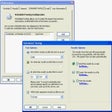
After installing the program, you'll be greeted with a simple setup process; designate your primary computer with the mouse/keyboard setup. Users should note that all their PCs must be networked via Ethernet or wireless so that Multiplicity can sync them all together.
Stardock's program will guide users through the setup process: simply log the secondary computer ID and passcode under the "Computers" tab in the primary computer. To set the secondary computer, users must also install the multiplicity client on the other computers. Multiplicity will immediately detect the secondary computer and sync your mouse and keyboard across all systems.
Computers are organized in a "grid." Users can move their secondary computers into any arrangement up to a 7x7 grid. The upgraded version supports up to nine controllable computers, but you can visually arrange your monitor and desktop setup in any horizontal, vertical, or combined fashion. I can imagine this being quite useful when grouping processes into dedicated machines, like rendering movies on one computer while browsing the Web or working on separate projects in another.
The overall experience felt seamless and even native: Multiplicity supports drag-and-drop actions as well as copy-and-paste functions across machines. Though there are some free alternatives that exist, like Mouse Without Borders or even Synergy, Multiplicity offers some advanced premium features that make it distinct, despite lacking some of the cross platform functionality of its competitors.
Users can switch between computers using hot keys or mouse buttons 4 and 5 (for those with 5 buttoned mice). Multiplicity gives users extra control over wrapping over screens and custom constraints to prevent unwanted screen switching. You can also set unused screens to darken and even show a status notification, indicating which desktop you're using.
Another feature that works well is the built-in audio sharing. Multiplicity allows you to send or receive audio playing to and from any computer in your network. It's a nifty feature for playing music around the house if you have multiple computer speakers set up in different locations.
Again, these are premium features, but it is also very possible to replicate Multiplicity's core functions with some readily free programs out there. That being said, if you have multiple machines running the same operating system, then Multiplicity adds some noteworthy functionality. The upgraded version executes what it claims to do and does it well for the most part, minus some expected incompatibility when managing different operating systems (like XP with 7). But if you're only running two machines, then the free version might be sufficient for your needs.
Publisher's Description
From Stardock:
Multiplicity enables up to 9 PCs to be controlled with only one keyboard and mouse. With capabilities far beyond what is possible with a physical KVM switch, Multiplicity's features include; drag and drop of large files between PCs, copy and paste of formatted content, and the ability to send the audio from all PCs to one PC and set of speakers. The new Multiplicity 2.0 security features enable sensitive information to be entered and securely moved between PCs which can be a priority for financial, medical and call center operations.
Multiplicity is ideal for anyone who needs to control multiple PCs with a seamless workflow. It's easy to setup, secure and backed by Stardock's support team.
What's new in this version: Version 2.01 fixes a hotkey issue when using Windows 8 machines as secondaries.
More Popular Network Tools downloads
- Freegate
7,288 downloads
- Wi-Fi HotSpot Creator
3,106 downloads
- Wireless Network Watcher
2,522 downloads
- Technitium MAC Address Changer
2,092 downloads
- Angry IP Scanner
2,084 downloads
- SMAC MAC Address Changer
1,761 downloads
- LAN Speed Test
1,513 downloads
- CommView for WiFi
1,464 downloads
- Look@LAN Network Monitor
1,409 downloads
-
All versions:
3.6 starsout of 45 votes
-
Current version:
4.7 starsout of 3 votes
-
My rating:
Write review
Results 1-3 of 3
-
"this thing is so COOL"
Version: Multiplicity 2.01
Pros
crossover...Win7 64-bit & Vista 32-bit
easy install
seamless transitionCons
occasionally loses connection over wireless network with secondary (vista) PC
Summary
this product is just about the best thing since sliced bread.
Also, to go from the secondary PC back to your primary, just move the cursor past the Left edge of the screen.
I was switching the wireless dongle between my 2 PCs until I broke down and got another wireless keyboard and mouse. 2 days after I hooked up the new mouse, I found this on Cnet's site. NOw, I have an extra wireless set. :)
Works great, just move the cursor off the R-side of the primary screen and voila, it's operating the secondary.
Helps keep my already cluttered desk a little cleaner.
NOW, if they could come out with something that automatically switched my main monitor when I switch between PCs. lol
Updated on Jan 25, 2013 -
"Wonderful little program"
Version: Multiplicity 2.01
Pros
Unobtrusive, simple to use, simple to set up.
Cons
Hot Keys don't always work.
Summary
I use a Win7 and also WinXP based computer with a tailless mouse and keyboard. Previously I had to switch the USB receiver from one to the other. Multiplicity solved that problem so it's not just a matter of holding the shift key and moving to cursor to the edge of the screen to enable both on the other computer. I only wish I had this when I was transferring files from the old XP to the new Win&.
-
"Multiplicity 2.0, Does EXACTLY what I wanted"
Version: Multiplicity 2.01
Pros
Cross windows platform [64bit and 98]
fairly easy set up
very stableCons
doesn't always auto-reconnect laptop
had to re-install once, shortcut and exe stopped "working", reinstalling was easier than troubleshootingSummary
I was using 2 sets of keyboard/mouse for home PC and work laptop sharing a desk. I kept personal computing on the home PC and telecommuting with work laptop. Multiplicity is a dream come true, not exaggerating. It seamlessly crosses over from one computer to the other. I've got the PC with monitor and the laptop using dual monitor [laptop display plus additional monitor]. Multiplicity works virtually seemlessly. I often have to force the laptop to reconnect because it gets removed from my home net almost daily. On top of all that, its FREE. haven't had need or opportunity to use across more than 2 computers.
Cross platform meant 64bit Windows 7 and 98
I use it on an i7 Windows 64bit laptop and a ancient 2003 Win XP Dell Dimension 4550
Updated on Dec 1, 2012
Results 1-3 of 3
Add Your Review
Submit your reply
E-mail this review
Report offensive content
See more CNET content tagged:
Previous Versions: