ie8 fix

ClocX

Publisher's Description

From BonSoft:

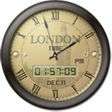
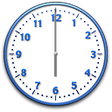
ClocX is a truly beautiful analog clock enhancement for your desktop. You can choose from a wide variety of styles, all of them high quality and very attractive. You can also use it to run one-time or recurring alarms, that can play a sound file, launch a message box or run an application of your choice. In addition, the program offers features like antialiasing, transparency, click through, calendar display, customizable priority and more. You can change and configure the backgrounds. Not only can you make ClocX transparent, you can choose from 256 levels of transparency. If you never thought, you'd need a desktop clock, ClocX may change your mind.

What's new in this version: This version is the first release on CNET Download.com.

 
Watch your favorite videos on your favorite devices.

More Popular Alarms & Clock Software downloads

  1. TimeLeft

    16,585 downloads

  2. Alarm Clock

    6,871 downloads

  3. Free Alarm Clock

    6,326 downloads

  4. Free Desktop Clock

    3,314 downloads

  5. Free Countdown Timer

    2,715 downloads

 
Lighting-fast photo software
All User Reviews
  • All versions:

    4.4 stars

    out of 54 votes

    • 5 star: 29
    • 4 star: 20
    • 3 star: 3
    • 2 star: 2
    • 1 star: 0
  • Current version:

    4.4 stars

    out of 54 votes

    • 5 star: 29
    • 4 star: 20
    • 3 star: 3
    • 2 star: 2
    • 1 star: 0
  • My rating:

    0 stars

    Write review

Results 1-10 of 52

  • 5.0 stars

    "So many clock face options!"

    September 23, 2011  |   By Jacqueline Goodison

    Version: ClocX 1.5b2

    Pros

    This was a pleasant surprise. Not only are there a nice choice of transparency options, but there's plenty of choices for clock faces, from watches, to grandfather clocks, to Mickey Mouse and Apples and constellations.

    Cons

    No Cons at all.

    Summary

    Nice options, easy to use, can be adjusted to be lightweight. Definitely recommend.

    Reply to this review

    Was this review helpful? (0) (0)

  • 4.0 stars

    "Non-intrusive clocks with tons of choices"

    June 28, 2011  |   By aspees

    Version: ClocX 1.5b2

    Pros

    A huge amount of different clock faces; I like the transparency feature.

    Cons

    Would like more features built in to the calendar function.

    Reply to this review

    Was this review helpful? (1) (0)

  • 2.0 stars

    "Good calendar but not the best."

    February 25, 2011  |   By honeybeey

    Version: ClocX 1.5b2

    Pros

    Selecting the calender date, and setting the time to be reminded is easy. The transparenancy works wel when hidding the clock as it runs in the background, then the alarm window pops up when the selected time as been reached.

    Cons

    suspicious activity, cpu tends to run high when there is no mouse movement or running programs. Can not setup reminders past March as the calender page continues to scroll non stop.

    Summary

    Suspicious Download

    Reply to this review

    Was this review helpful? (0) (0)

  • 5.0 stars

    "The clock you have without having a clock."

    February 11, 2011  |   By Ardwych

    Version: ClocX 1.5b2

    Pros

    The beauty of ClocX is that you can make it as inconspicuous as you want it to be with its transparency feature. With it feint, down in the 30s, you come to not notice it - until you wonder what the time is. Your brain changes and -

    Cons

    cont/d: ..it's been there all the time - and you have the information you want. Excellent!
    Occasionally it loses the fight on who's to stay on top, but a couple of clicks on its icon, and it's back.

    Summary

    An excellent minimal screen clock with low impact on the overall visuals, and all but nothing on the processor. Put it in a corner and it's gone.. It's there but it's not there.

    Too often the programs offered to us are different for no obvious reason, different for difference's sake, yet once in a while something comes along that does a job supremely well, usually by being as simple as it needs to be, and no more.
    ClocX gives us the time, and a second counter if you want it, yet it stays out of the way - hiding in plain sight. With it very feint I place it down near my TClockEx extension, just inside the scroll-bar area of other apps so that it doesn't interfere visually when I need to inspect them. Invariably I adapt to it, without being petty about it, and after a short while I notice I no more. All it takes is a cognitive brain-switch and I suddenly see the time.
    The options allow the display of a.m. or p.m., or of other fancy, reflective, clock images - but why bother? I put it in, lower the transparency, tick to begin on boot, and it's in. With click-through/unmovable.
    It's like pasting a clock to the inside of your screen's glass; clickable through, unmovable when moving is irrelevant, simple. And it has good and simple alarms, for alerts or program execution, too. Calendar? TClockEx does a better one.. No matter. Works with Standard User logon, of course.

    Microsoft should buy the company. :) Highly recommended.

    Updated on Feb 11, 2011

    I should have made the point that ClocX is, luckily, an analogue clock - the kind of appearance that we've been used to for the last few thousand years. As analogue we can determine the time far more quickly than with a digital form - a quick glance, and it's over. We can read analogue without reading glasses, and we can instantly get a relative feel for what's when: how long since the last whole hour; how long until the next, with no further translation of numbers or differences. Back to our analogue instincts..

    Reply to this review

    Was this review helpful? (1) (0)

  • 5.0 stars

    "Great desktop tool"

    January 25, 2011  |   By zasandra

    Version: ClocX 1.5b2

    Pros

    Know the date & time at a glance
    Click through

    Cons

    None, for me

    Reply to this review

    Was this review helpful? (0) (0)

  • 4.0 stars

    "Great alarm clock so far"

    December 4, 2010  |   By CaseyAzalea

    Version: ClocX 1.5b2

    Pros

    I haven't been using it long so I haven't played with all the settings, but it was easy to set up with several different alarms & different sounds. I like having an analog clock face on my desktop. Has simple instructions for memory-saving settings.

    Cons

    Alarm message box is not pretty, but I don't know if there's a setting to change that. That's not a big complaint. No other problems with it.

    Reply to this review

    Was this review helpful? (0) (0)

  • 5.0 stars

    "Many useful options"

    November 7, 2010  |   By Winona Tona

    Version: ClocX 1.5b2

    Pros

    Easy to use with a nice variety of re-sizable clock face skins.
    Plus, I like the alarm clock features that include scheduling multiple instances of alerts.

    Cons

    The test button for alarm sound setting seemed inactive but as long as I set it to "0" with loop checked, actual alarm sets were audible and the snooze function worked too.

    Reply to this review

    Was this review helpful? (1) (0)

  • 5.0 stars

    "I really like it"

    October 25, 2010  |   By freeborn54

    Version: ClocX 1.5b2

    Pros

    This gives me a way to always know what time it is without trying to see the little bar one. I have it on my laptop and people ask me where I got the clock.

    Cons

    I wish the clock would stay on the screen even when I play a game.

    Summary

    This is a great down load!

    Reply to this review

    Was this review helpful? (1) (0)

  • 4.0 stars

    "ClocX review"

    October 12, 2010  |   By nwberean

    Version: ClocX 1.5b2

    Pros

    Works fine, no apparent conflicts. Many clock faces...too many since quite a number are only color changes.

    Cons

    Took a lot of time finding the face I wanted to use. Have had trouble moving clock when I've had a program up rather than just the desktop. Was looking for a particular screen saver (this isn't).

    Summary

    It is nice to have a clock visible when screen occupied & system clock is not visible.

    Reply to this review

    Was this review helpful? (0) (1)

  • 4.0 stars

    "great clock easy to use"

    October 12, 2010  |   By briancarr1966

    Version: ClocX 1.5b2

    Pros

    easy to use easy to add your own clocks very good program and its free

    Cons

    none yet cant fault it

    Summary

    easy to set up works well with windows 7 very easy customised by user integrates perfect with custom built clocks

    Reply to this review

    Was this review helpful? (0) (0)

Results 1-10 of 52

Add Your Review

or Log in or create an account to post a review.
You are logged in as . Please submit your review for ClocX 1.5b2
Add Your Review

The posting of advertisements, profanity, or personal attacks is prohibited.
Click here to review our site terms of use.

Submit your reply

Submit

The posting of advertisements, profanity, or personal attacks is prohibited.
Click here to review our site terms of use.

cancel

E-mail this review

Submit cancel

Report offensive content

If you believe this comment is offensive or violates the CNET's Site Terms of Use, you can report it below (this will not automatically remove the comment). Once reported, our staff will be notified and the comment will be reviewed.

Select type of offense:

Offensive: Sexually explicit or offensive language
Spam: Advertisements or commercial links
Disruptive posting: Flaming or offending other users
Illegal activities: Promote cracked software, or other illegal content
Submit cancel

Previous Versions:

ie8 fix

Error

close

ERROR MESSAGE

If you think this is an error, please contact CNET TechTracker Support for further assistance.

Ok

Running Request

close

loading

Smart Install Software

close

CNET TechTracker will now automatically install software without requiring further action by you. (Note: This feature automatically accepts associated EULAs and third party applications on your behalf.)

You have selected the following software to Smart Install:

CNET TechTracker will attempt to install this software without interrupting you again. If an application requires manual installation, CNET TechTracker will download the installer and prompt you to take further action.

Proceed with Smart Install?

Confirm Standard Install Cancel

Submit a problem report for ClocX

close

Please describe the problem you have with this software. This information will be sent to our editors for review.

Problem:

The CNET Installer isn't working as expected

The download link does not work

The software has a newer version

The software contains malware

Other

Description:

Please select a feedback type.

Please enter a description.

Submit Problem Report

Problem Report submitted

close

Thank you for submitting a problem report! The Download team is committed to providing you with accurate software information.

OK

Installed

Smart Install

About CNET Installer

The CNET Download.com Installer is a tiny ad-supported stub installer or "download manager" that helps securely deliver your downloads from Download.com's servers. We also include offers for carefully screened software that complies with Download.com Software Policies as part of our Installer process. Learn more

ClocX
  • Recently Viewed Products
  • My Lists
  • My Software Updates
  • Promo
  • Log In | Join CNET