Used Zoetrope for Windows 10 for Windows?


The Download Now link directs you to the Windows Store, where you can continue the download process. You must have an active Microsoft account to download the application. This download may not be available in some countries.

Editors’ Review

Download.com staff
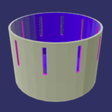
Zoetrope is a robust animation tool for creating stop-motion movies and cel-based drawings. It integrates hardware inputs like scanners and cameras while offering unique physical outputs such as 3D-printable devices and flipbooks.
Enlarged image for Zoetrope for Windows 10
Zoetrope for Windows 10 0/4
  • Pros

    • Captures images via webcams scanners and connected cameras
    • Provides digital cel animation drawing tools for touch and pen
    • Exports videos in MP4 WMV and uncompressed AVI formats
    • Creates 3D printable zoetrope devices and paper flipbooks
    • Supports background images and music library audio integration
  • Cons

    • Restricted to the Windows operating system environment
    • Lacks advanced multi track audio editing features
    • No native cloud storage or collaboration support
    • Limited social sharing options restricted to YouTube

Used Zoetrope for Windows 10 for Windows?


Explore More

Full Specifications

GENERAL
Release
Latest update
Version
0
OPERATING SYSTEMS
Platform
Windows
Operating System
Windows 10
Additional Requirements
Available for Windows 10, Windows 8.1, Windows 10 Mobile (x64, x86, ARM)
POPULARITY
Total Downloads
519
Downloads Last Week
0

Report Software

Program available in other languages


Last Updated


Developer’s Description

Easily create stop motion movies or slideshows from still photographs, drawings, a scanner, a webcam, or connected camera.
Easily create stop motion movies or slideshows from still photographs, drawings, a scanner, a webcam, or connected camera. Zoetrope helps you create that perfect animation of your Lego creation or any other series of photographs to make a stop motion animation. NEW: Add background color or image to cel animation drawing NEW: Print out a zoetrope device with a 3D printer (and the paper strips). NEW: Print a flipbook of your animation. Once you have created your animation, you can save it a video file, upload it to YouTube, or print it out as a flipbook. Pick a music file from your music library to add audio to the animation. Cel-animation feature to draw animation cels with pen, pencil, mouse, or touch - and now with the ruler tool for the Windows Anniversary Update. Save the animations to h. 264 MP4, Windows Media WMV, or uncompressed AVI files. If you have a scanner you can now use it directly in Zoetrope to add photos - either using the flatbed or auto sheet feeder - great for paper-based animation projects.

Download.com
Your review for Zoetrope for Windows 10