Used XTextureExtractor for Android?


XTextureExtractor Analysis

AI Assisted Content ·

Not written by CNET Staff.

XTextureExtractor is a utility designed for Android that enhances the experience of users playing X-Plane 11 by allowing them to view and manage multiple textures for the HSI, CDU, and other in-game displays. This application is characterized by its intuitive interface, enabling users to easily navigate through various textures without prior experience. The app supports both portrait and landscape orientations, providing flexibility in how it can be used while playing the flight simulator.

Top Recommended Alternative

In addition to managing textures for the HSI and CDU displays, XTextureExtractor also includes support for EICAS displays, specifically the EICAS TFR (Traffic Flight Reference). This comprehensive support ensures that users can effectively manage all relevant textures for a realistic simulation experience. The application is compatible with both Android and iOS devices, making it accessible for a wide range of users who are looking to enhance their X-Plane 11 gameplay.

Enlarged image for XTextureExtractor
XTextureExtractor 0/4

Used XTextureExtractor for Android?


Explore More


Full Specifications

GENERAL
Release
Latest update
Version
1.0
OPERATING SYSTEMS
Platform
Android
Operating System
Android 13.0
POPULARITY
Total Downloads
23
Downloads Last Week
0

Report Software

Program available in other languages


Last Updated


Developer’s Description

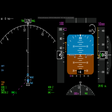
XTextureExtractor extracts the textures for the HSI, ND, EICAS, and CDU displays, and renders them in separate windows that you can place...

XTextureExtractor extracts the textures for the HSI, ND, EICAS, and CDU displays, and renders them in separate windows that you can place anywhere within X-Plane, on external unused monitors, and on Android devices.

YOU MUST INSTALL THE LATEST 0.4 PLUGIN, THE NETWORK PROTOCOL HAS CHANGED FROM 0.3.

Tap on the window displays to cycle through all the available textures. You can arrange the phone in portrait or landscape mode.

Requirements:

- X-Plane 11

- Download XTextureExtractor plugin from http://waynepiekarski.net/XTextureExtractor and unzip into the Resources/Plugins directory

- Supported aircraft in X-Plane 11

- Open TCP port 52500 in Windows firewall for XTextureExtractor

- Multicast support on your network for auto-detection

If multi-cast is not working, you can tap on the connection text to configure a manual X-Plane hostname or IP address.

Most X-Plane 11 aircraft only allow you to view these displays within the virtual cockpit. These displays can also be quite small and hard to read. However, if you have a home cockpit set up with multiple monitors, it would be ideal to see each of these displays shown full screen and without having to move the view around to see it clearly. Some aircraft support a pop-up CDU, but rarely any of the other displays. There are external apps that can provide some of these displays, but they reimplement everything from scratch and will never be an exact match for your aircraft.

XTextureExtractor analyzes all the OpenGL textures and works out where these displays are rendered to. This same texture is then rendered into separate windows that you can move around and place wherever you want. They can be rendered as windows within X-Plane, or popped out and moved around within Windows itself. You can drag popped-out windows to external monitors and arrange them however you like.

X-Plane 11 doesn't natively support this functionality via the SDK, so the plugin uses OpenGL calls to try and guess the correct texture id. The coordinates of all the displays are hard coded for each supported aircraft. It has only been tested with an NVidia GTX 1080 and Windows 10, and the texture finding algorithm may not work on other video cards.

Supported aircraft are the standard X-Plane 737, Zibo 738, Flight Factor 757, Flight Factor 767, and the Felis Tu-154.

You must extract the plugin ZIP file and copy the Plugin-XTextureExtractor-x64-Release directory into your X-Plane 11\Resources\plugins directory.

XTextureExtractor is open source, licensed under the GNU Public License v3, and available from https://github.com/waynepiekarski/XTextureExtractor

This plugin is very experimental and may have bugs. I look forward to your feedback on this plugin, and hope you all find it useful for your home flight simulator systems.


Download.com
Your review for XTextureExtractor
Download.com

AI Assisted Content Disclosure

Content created and reviewed by Softonic with information obtained from Wayne Piekarski, using AI.

CNET's editorial team was not involved in the creation of this content. Opinions, analysis and reviews were not provided by CNET.