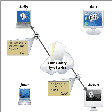
Because life is short and you time is limited, your clients should at least pay you for what you do. With WorkTimer at you desktop there will be no doubt. Its real easy. This nice and handy utility will never disturb you with fancy graphs and all that wrap - up. While you focus on being creative, WorkTimer will do the time job. Clever interface, a nicer logic and a new workflow is what is awaiting for you when your open the new WorkTimer 2. Add it to your startup items and the brand new WorkTimizer will welcome you every glory morning at your loving mac. This new version is also build with universiel binaries enabled and is therefore fully operational with the next Intel macs.
Free. Track multiple projects or clients by saving separate files. Doesn't crash or corrupt files (unlike some others...Lumina). If you just need start and stop buttons, this is the one.
Cons
Can't resize windows. Always have to toggle the "toggle window" control when opening a timer. Doesn't remember sort order for tasks. No keyboard shortcuts (such as Esc to close the task edit sheet). Can't float above other windows or appear as status menu. (I've walked away and returned to realize I left a timer runner for who knows how long.)
Summary
With a few, modest improvements, it would be worth $5 and be better, in its simplicity, than all the expensive time trackers out there.
Excellent
igoeja_dotmac
Pros
Cons
Summary
This review was originally posted on VersionTracker.com.<br />
So far, I've been very happy with this - currently working a medium-term asssignment programming from home - and my only quibble is that I'd like the window to stay on top of all other windows, as an option.
A great application worth 5 stars
iceman--2008
Pros
Cons
Summary
This review was originally posted on VersionTracker.com.<br />This is what I have been looking for. Great and simple. Now I can track jobs without the more complex programs that waste your time trying to figure out. Excellent job...
Basic, neat time tracking app
mpg
Pros
Cons
Summary
This review was originally posted on VersionTracker.com.<br />I have been looking for some time for a simple, functional program to track my time. As I am a PhD student in need of tracking activity on various projects I was a bit put off by apps with lots of features costing money and trying to have me do things the way they want.
When yesterday I found Work Timer I was really happy, it is simple, slim, flexible, nice to look at and free, wow! :)
It is now a very basic program (well, one should expect it as it sizes up 95kb!!) but it does what it says with some style: add to this that the author says he is already thinking about a version 2.0, and you'll see that it is definitely worth taking a look at.
Slick little app
terceiro--2008
Pros
Cons
Summary
This review was originally posted on VersionTracker.com.<br />I didn't need a billing application; I wanted something which I could use to keep track of how much time I spent on research, writing, grading student papers, and lecture prep. This fills the bill nicely and well-designed (though some useful information is strangely hidden in the about box). Simple, light, free.