Used Windows Media Player Plus for Windows?


Editors’ Review

Download.com staff
This plugin significantly expands Windows Media Player's capabilities with advanced tag editing, global hotkeys, and dynamic playlist creation. Enjoy a more customized and efficient media playback.
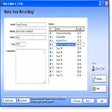
Enlarged image for Windows Media Player Plus
Windows Media Player Plus 0/1
  • Pros

    • Tag Editor Plus works on Windows Media Player 12.
    • Global hotkeys control playback from any application.
    • Party Shuffle creates dynamic, auto-filled playlists.
    • Adds find as you type and disc number support.
    • Restores last playback position on startup.
  • Cons

    • No mention of support for specific audio formats.
    • No built-in lyrics display functionality.
    • Does not offer integration with cloud music services.
    • Lacks advanced audio equalizer presets.

Used Windows Media Player Plus for Windows?


Explore More


Full Specifications

GENERAL
Release
Latest update
Version
2.10
OPERATING SYSTEMS
Platform
Windows
Operating System
  • Windows 10
  • Windows XP
  • Windows Vista
  • Windows 8
  • Windows 2003
  • Windows 7
  • Windows Server
Additional Requirements
Windows Media Player 11
POPULARITY
Total Downloads
76,591
Downloads Last Week
6

Report Software

Program available in other languages


Last Updated


Developer’s Description

Add various user interface and playback enhancements to Windows Media Player.
Windows Media Player Plus is a plug-in that adds extra functionality to Windows Media Player. Included is Tag Editor Plus: an alternative for Windows Media Player's Advanced Tag Editor. Tag Editor Plus works on Windows Media Player 12 too, where the original Advanced Tag Editor has been removed. Global hotkeys is another enhancement added by the plug-in. These allow you to control Windows Media Player from within any running application. Also added by the plug-in is Party Shuffle, which is a dynamic playlist that automatically gets filled with randomly picked songs. Of course, you can still add songs yourself, and reorder/remove songs, just like with a normal playlist. Very useful while throwing a party, as a DJ aid, or just for casual listening. Furthermore, Windows Media Player Plus adds real 'find as you type' and full disc number support to the library, and an option to restore the last playing media and playback position at Windows Media Player startup. Much more enhancements are also included, like accessing the standard Explorer right-click menu from within Windows Media Player, showing the currently playing media in the title bar, advanced playback options (Stop after current and Close after current), play/pause when pressing the space bar, disabling group headers in the library, Windows Live Messenger support (What I'm Listening To), and allowing quick access to the properties/settings of any Windows Media Player plug-in.

Download.com
Your review for Windows Media Player Plus