Windows Apps for Screensavers & Wallpaper
Top 3 Screensavers & Wallpaper Apps for Windows


More Screensavers & Wallpaper Apps for Windows

Free Archon Code 39 Barcode Font for Business
FreeA free barcode font for business
Windows
Iconoid (64-Bit)
FreeKeep desktop icons exactly where intended
Windows
AtomTime Pro
Trial versionAdjust your PC time based on the atomic clock time value.
Windows
Jabat Automatic School Bell
FreeJabat Automatic School Bell: Simple, Reliable Timing Solution
Windows
C-Lodop Print Server
Trial versionC-Lodop: JavaScript Printing Made Easy
Windows
RPF Viewer
FreeEffortless RPF File Viewing
WindowsPyidaungsu
FreePyidaungsu Font: Broad Language Support
Windows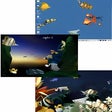
Aquatica Waterworlds Screen Saver
Trial versionAquatica Screensaver: A Vibrant Digital Aquarium
WindowsPasteItIn
Trial versionClipboard History Made Easy with PasteItIn
Windows
InstantStorm
FreeCreate custom screensavers with ease
Windows
The Matrix Screen Saver
FreeMinimal digital aesthetic screen experience
Windows
Free Code 39 Barcode Font
FreeCreate scannable Code 39 barcodes for free
Windows
DS Clock (64-bit)
FreeA reliable desktop time companion
Windows
Startup Sound Changer
FreeStartup Sound Changer: Personalize Your Windows Boot
Windows
Desktop Clock Plus-7
FreeFree-to-download time ticker
Windows8GadgetPack
Free8GadgetPack Brings Windows 7 Gadgets Back to Windows 8
Windows
GTA V Artwork HD Wallpaper Pack
FreeGTA V Wallpaper: Anticipate the Next Grand Theft Auto
Windows
MICR E13B Match Font
Trial versionAccurate MICR E13B Fonts for Professional Check Printing
Windows
Grand Theft Auto 5 Theme
FreeFree visual upgrade — unofficial theme pack
Windows
Digital Clock-7
FreeSet up a screen saver that displays the current time.
WindowsAgent Ransack (64-bit)
FreeAgent Ransack: Powerful Freeware File Search Utility
Windows
CursorFX
Trial versionCursor customization utility
WindowsTopmost Clock
FreeTransparent Desktop Clock Offers Customization
Windows
Folder Marker Free - Customize Folders
FreeFolder Marker: Organize with Custom Icons
Windows











