Used vDesk for Windows?


Editors’ Review

Download.com staff
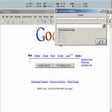
vDesk enhances desktop organization by allowing users to create logical groups of icons for programs and files. It displays these shortcuts on demand, then hides them to maintain a clean desktop workspace.
  • Pros

    • Speeds up access to programs and files.
    • Creates logical groups for shortcuts.
    • Displays icon groups only when needed.
    • Hides shortcuts for a clutter-free desktop.
    • Navigates groups using mouse wheel or Tab key.
  • Cons

    • Mouse wheel navigation may interfere with other applications.

Used vDesk for Windows?


Explore More


Full Specifications

GENERAL
Release
Latest update
Version
1.0
OPERATING SYSTEMS
Platform
Windows
Operating System
  • Windows 10
  • Windows Vista
  • Windows 7
  • Windows XP
Additional Requirements
Microsoft .NET Framework 2.0
POPULARITY
Total Downloads
1,433
Downloads Last Week
1

Report Software

Program available in other languages


Last Updated


User Reviews

5/5

8 User Votes


Developer’s Description

Speed up access to your files using logical groups of icons.
vDesk can help you speed up access to your programs, documents and other files. In comparison to other similar tools, vDesk does not just put all shortcuts in one bunch, but gives you opportunity to create logical groups of icons and displays them only when you need to run a program or open a file. As soon as you do that the virtual desk hides all shortcuts and saves you from the typical mess of icons spread on your desktop. To move from one icon group to another, vDesk uses mouse wheel. If the mouse has no wheel or interfere with other active applications, use Tab key from the keyboard.

Download.com
Your review for vDesk