Used usb otg file manager for Android?


usb otg file manager Analysis

AI Assisted Content ·

Not written by CNET Staff.

USB OTG File Manager is a productivity application designed for Android devices, facilitating seamless management of files and USB storage devices. Users can perform essential tasks such as deleting, uninstalling, and organizing applications with ease. This app is particularly beneficial for those who frequently interact with external USB devices, as it provides a user-friendly interface for file operations and management.

Top Recommended Alternative

In addition to app management, USB OTG File Manager grants access to the device's root directory, enabling users to explore, edit, copy, paste, and delete files directly. This feature allows for comprehensive control over file systems, making it suitable for advanced users who require detailed access to their device's storage. The application is free to use, making it an accessible option for anyone looking to enhance their file management capabilities on Android.

Enlarged image for usb otg file manager
usb otg file manager 0/3

Used usb otg file manager for Android?


Explore More


Full Specifications

GENERAL
Release
Latest update
Version
2.0.0
OPERATING SYSTEMS
Platform
Android
Additional Requirements
Requires Android 5.0 and up
POPULARITY
Total Downloads
115
Downloads Last Week
0

Report Software

Program available in other languages


Last Updated


Developer’s Description

USB OTG File Manager for android a new app to open and copy files from any USB Devices easy and fast.

USB OTG File Manager for android a new app to open and copy files from any USB Devices easy and fast.

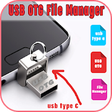
USB OTG Explorer - OTG File Manager for Android allows you to manage files from any USB mass storage device with a FAT32 or NTFS file system using the USB OTG port of your device, tablet or phone.

USB OTG File Explorer FEATURE:

1-Application:- OTG File Explorer support application management like Uninstall applications, delete the application and manage applications like system app and user install the app.

2-Root File Manager (File Explorer) for advanced users to explore, edit, copy, paste and delete files in the root partition of phone storage for development purposes. Explore root folders of the system like

3-Images:- You can manage image and picture files in your storage. Image preview is available. (Supported file formats: BMP, gif, jpg, png and etc).

4-Audios:- You can manage all music and sound related files. (Supported file formats: mp3, Ogg, FLAC, m4p, Wav, WMA and etc).

5-Network File Manager Transfer files with FTP Server from phone to PC. All you have to do is open the IP address in the browser and all your files on the phone are easily accessible. You can also share files from your phone using Bluetooth, wifi direct other social networking apps, etc. You can also browse an FTP/ FTPS connection now.

6-Application:- OTG File Explorer support application management like Uninstall applications, delete the application and manage application like system app and user install an app

7-Videos:- You can manage all video files in your device. (Supported file formats: asf, Avi, Flv, mp4, MPEG, WMV and etc)

8-File Browser:- OTG File Explorer helps you manage all your files efficiently! With an intuitive interface, File Manager allows you to handle any file or folder whether they are stored in your device, microSD card, or cloud storage accounts.

9-Videos:- You can manage all video files in your device. (Supported file formats: asf, Avi, Flv, mp4, MPEG, WMV and etc).

10-You can check USB status on one click.

remember: best USB OTG File Manager allows you to open and copy files from any USB mass storage device with a FAT32 or NTFS file system using the USB OTG port of your device, tablet or phone.

Get the all-new from USB OTG File Explorer Manager application for FREE!!


Download.com
Your review for usb otg file manager
Download.com

AI Assisted Content Disclosure

Content created and reviewed by Softonic with information obtained from endoscope usb camera otg view, using AI.

CNET's editorial team was not involved in the creation of this content. Opinions, analysis and reviews were not provided by CNET.