Used URL Helper for Windows?
Editors’ Review
This program has no problems detecting URLs, but it could use some assistance with its filtering options and user guidance.
URL Helper's functional interface requires you to select the correct adapter for your Internet connection from a drop-down list, which may throw the novice user off track. Once you select the right adapter, however, you simply hit Sniff Network. URL Helper begins listing URLs as soon as you start surfing. You can easily start or stop the monitoring process, but a single page can still produce numerous links.
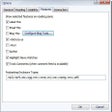
URL Helper allows you to apply filters, but the descriptions for the six options aren't very helpful. Other settings to exclude file types and color-coded formats like Windows Media files in the results window aren't intuitive, and the bare-bones Help file doesn't explain these features.
There's a short seven-day trial limitation. URL Helper can reveal hidden URLs, but it doesn't seem to offer the most user-friendly way of getting there.
Used URL Helper for Windows?