Used TransposeMusic for iOS?


TransposeMusic Analysis

AI Assisted Content ·

Not written by CNET Staff.

TransposeMusic is a free multimedia application designed for iPhone users, specializing in music transposition. This app allows musicians to easily adjust the key of their music tracks, making it an invaluable tool for performers and composers alike. With its user-friendly interface, users can quickly transpose audio files or sheet music to suit their vocal range or instrument tuning.

Top Recommended Alternative

The application supports various audio formats, enabling seamless integration with existing music libraries. Users can also utilize features such as pitch shifting and playback speed adjustments, enhancing their practice sessions. TransposeMusic is particularly beneficial for those who need to practice in different keys or create arrangements for different instruments, making it a comprehensive solution for music enthusiasts.

Enlarged image for TransposeMusic
TransposeMusic 0/1

Used TransposeMusic for iOS?


Explore More


Full Specifications

GENERAL
Release
Latest update
Version
1.3
OPERATING SYSTEMS
Platform
iOS
Operating System
iOS 12.1.2
Additional Requirements
Compatible with iPhone, iPod Touch, and iPad. Requires iOS 3.1 or later. iTunes account required
POPULARITY
Total Downloads
19
Downloads Last Week
0

Report Software

Last Updated


Developer’s Description

Do you play a transposing instrument?Or do you read music of a transposing instrument?Do you write music transposing from original music, when you...
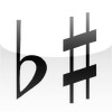
Do you play a transposing instrument?Or do you read music of a transposing instrument?Do you write music transposing from original music, when you arrange music?This app helps you to read music transposing to another key. It's easy to use. It has two music view. Both view can be changed its key by flicking to left or right.Tapping an upper view, it indicates a note where you tap, and sound. At the same time, a lower view also indicates a transposed note in a lower's key.Selecting "b/none/#", tapped position's note will be higher or lower by a halftone than "none".Selecting "Upper/Lower, it decides which view's note will sound.Concrete examples of how to use.-Case 1: You want to make a new music transposing from an original music.Set an upper view an original music key.Set a lower view a key what you want to transpose.Tapping original notes in upper view, you can get transposed notes in lower view.-Case 2: You want to play a common sheet music by clarinet in Bb.Flick lower view 2 times to #-direction from a upper view. Set sound "Upper".Tap a note you want to play, then you can get a note for clarinet in Bb.-Case 3: You want to know an actual note and pitch watching part of clarinet in BbFlick a lower view 2 times to b-direction from upper view. Set sound "Lower".Tap a note written in clarinet part, then you can get a actual note.

Download.com
Your review for TransposeMusic
Download.com

AI Assisted Content Disclosure

Content created and reviewed by Softonic with information obtained from HASEBE Masahiko, using AI.

CNET's editorial team was not involved in the creation of this content. Opinions, analysis and reviews were not provided by CNET.