Used Transfer Automation for Windows?


Editors’ Review

Download.com staff
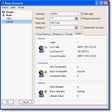
This utility automates file transfers between SFTP, FTP, and local Windows folders. Configure custom jobs and manage user accounts to streamline file management workflows without requiring a database.
  • Pros

    • Transfers between SFTP, FTP, and Windows file systems
    • Operates without requiring an external database
    • Available for use at no cost
    • Manages SFTP and FTP user account credentials
    • Controls the number of concurrent file transfers
  • Cons

    No Cons available


Used Transfer Automation for Windows?


Explore More


Full Specifications

GENERAL
Release
Latest update
Version
1.0
OPERATING SYSTEMS
Platform
Windows
Operating System
  • Windows Server
  • Windows 10
  • Windows Vista
  • Windows 7
  • Windows 8
Additional Requirements
None
POPULARITY
Total Downloads
106
Downloads Last Week
0

Report Software

Program available in other languages


Last Updated


Developer’s Description

Automate transferring files between SFTP, FTP, and Windows folders.
Need files transferred? Not sure where to start? Try Transfer Automation, it may be what you are looking for. It supports transferring between SFTP, FTP, and Microsoft Windows file systems. One simple download, no database required, and better yet, no cost.

It is fully customizable to suit your needs and processing power. Manage how many files you want transferred at a time; Manage your SFTP and FTP user accounts. Customize a transfer job to suit your needs and take the work out of file management.


Download.com
Your review for Transfer Automation