Used Titans of Space Cardboard VR for Android?


Titans of Space Cardboard VR Analysis

AI Assisted Content ·

Not written by CNET Staff.

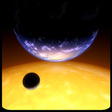
Titans of Space Cardboard VR is a free virtual reality application designed for Android devices, providing users with an immersive journey through our Solar System and select stars from the universe. Compatible with Google Cardboard, the app features a guided tour by an expert, enhancing the educational aspect of the experience. Users can navigate the cosmos using their device's gyroscope, allowing for a dynamic exploration of celestial bodies, from the Sun to the Earth and beyond.

Top Recommended Alternative

This application offers a unique perspective on space, enabling users to view the Solar System and the universe from various angles. The ability to move through space and time adds an engaging element to the exploration. The combination of educational content and interactive features makes Titans of Space Cardboard VR a notable utility for those interested in astronomy and virtual reality.

Enlarged image for Titans of Space Cardboard…
Titans of Space Cardboard VR 0/3

Used Titans of Space Cardboard VR for Android?

Explore More


Full Specifications

GENERAL
Release
Latest update
Version
1.1
OPERATING SYSTEMS
Platform
Android
Operating System
Android 9.0
POPULARITY
Total Downloads
78
Downloads Last Week
1

Report Software

Program available in other languages


Last Updated


Developer’s Description

Titans of Space is a short guided tour of our planets and a few stars in virtual reality. Works with Google Cardboard.

Titans of Space is a short guided tour of our planets and a few stars in virtual reality. Works with Google Cardboard.

Important!

A powerful modern phone will give you the best results, not only with smooth framerate but also headtracking latency. Additionally, shutting down other background tasks may help with performance. To give you an idea of what to expect, this experience runs at 50-60 FPS for the entire tour on a cool Nexus 5 running Android 4.4.3 and minimal background activity.

This program requires a phone with the NEON CPU extension (many modern phones have this). It may not work for you otherwise.

Note: Some users have reported getting stuck at the loading screen, and then having it work after a re-install. Your mileage may vary!

What's Google Cardboard?

Cardboard is a lowcost, easytoget virtual reality viewer that transforms a phone into a basic VR headset. Learn more about Google Cardboard at g.co/cardboard. Buy or build your own at https://www.google.com/get/cardboard/get-cardboard.html.

Features

Compare the sizes of planets and moons - everything is toy-sized, shrunk down to 1 millionth of their actual size. Distances between objects are not to scale to make comparisons easier.

Feel the dynamic soundtrack, carefully matched to your tour.

Enjoy full control over the pace and depth of your tour through a multitude of options, though just kicking back with the defaults is fine too!

No form of input is necessary to experience the full tour, though if your headset has a strap, using a controller is recommended for comfort. The next best thing is to use a phone with NFC support with a Cardboard headset that has a magnetic switch, or a Cardboard 2.0 headset that can tap your phone's screen.

Catch up on what's new in the Solar System! Your cockpit dashboard will display informational text at most tour stops. There are sometimes additional pages of information with extra detail.

Translated into multiple languages. Some portions of the experience are still in English, and this is not the fault of the translator(s) as I just didn't have the full text ready for them at the time.

50 minutes of narration / voiceover is now available as an add-on. To purchase this option, find the Narration panel in the green Options menu during the tour.

Add-Ons

The Narration add-on is now available (and on sale!)! Includes 50 minutes of narration for the entire tour. Male voice only for now, with a female voice coming soon. The narration is in English, and includes English subtitles as an option (off by default). To purchase this option, find the Narration panel in the green Options menu during the tour.

Some other things to know:

An experimental drift correction mode is now an option that you can select when starting up the app. Note that this drift correction is great for devices where the scene just keeps rotating and rotating, but if you already had a stable view it may make things worse with a "floaty" feel to the head tracking. Hopefully you will find a mode that suits you!

If you are still having trouble with drifting, one trick that can help is set the phone down on a flat surface for 20 seconds while the app is in VR mode.

On some phones, your view may occasionally jump suddenly. This behavior should be improved from before, but it's not a solved problem.

If you ever need to reset your "forward direction", simply tilt your headset (with your phone in it) on its left or right side.

Note that the tour isn't over yet after you've finished touring the Solar System!


Download.com
Your review for Titans of Space Cardboard VR
Download.com

AI Assisted Content Disclosure

Content created and reviewed by Softonic with information obtained from DrashVR, using AI.

CNET's editorial team was not involved in the creation of this content. Opinions, analysis and reviews were not provided by CNET.