Used Strings and Piano Keyboard for Android?


Strings and Piano Keyboard Analysis

AI Assisted Content ·

Not written by CNET Staff.

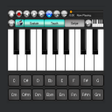
Strings and Piano Keyboard is a free multimedia application designed for Android devices, catering to music enthusiasts of all levels. With an extensive library of over a hundred keyboard instruments, this app provides users with a versatile platform for music creation and exploration. It supports various functionalities, including song composition, music recording, and playback, making it suitable for both beginners and experienced musicians. The user-friendly interface allows for easy navigation and enhances the overall experience of creating and enjoying music.

The application also features unique capabilities such as simultaneous recording and playback of songs, enabling users to experiment with different musical ideas seamlessly. This functionality, along with the diverse range of keyboard instruments, empowers users to express their creativity and improve their musical skills. Strings and Piano Keyboard stands out as a comprehensive tool for anyone looking to delve into the world of music on their Android device.

Enlarged image for Strings and Piano Keyboar…
Strings and Piano Keyboard 0/2

Used Strings and Piano Keyboard for Android?


Explore More


Full Specifications

GENERAL
Release
Latest update
Version
13.6
OPERATING SYSTEMS
Platform
Android
Operating System
Android 15.0
POPULARITY
Total Downloads
12
Downloads Last Week
2

Report Software

Last Updated


Developer’s Description

New features: Three new electric pianos and sitar instrument sounds.

New features: Three new electric pianos and sitar instrument sounds. Built-in YouTube video player for watching piano tutorial videos while learning how to play the piano using the app.

Enjoy playing 3 note chords for your favorite songs by touching a chord pad/tab one at a time. Playing piano chords or other instrument on your mobile device has never been easier. For learners, the corresponding note numbers are also displayed on the white keys as you play the chords. Additional notes can be normally played by touching the keyboard keys while playing chords. It is best to use wired headsets for better stereo sound quality enjoyment. Users can also record and playback performances by pressing the corresponding buttons while not using a headset.

General Features:

Strings and Piano Keyboard is a simple but responsive Android musical keyboard application that features realistic sounds of thirty five instruments consisting of acoustic folk guitar, nylon/classical/spanish guitar, electric guitar-clean sound, electric guitar-crunch distortion, bandurria/mandolin, tenor sax duet unison, synth brass, sawthooth synth, electric piano with mild wah effect, bright acoustic piano, two choir/human synthesized voices, orchestral strings, violin, cello, pizzicato, orchestra hit, grand piano, electric piano, brass, trumpet, sax, flute, organ, accordion, bandoneon, vibraphone, xylophone, steel drums or steel pan, drums and percussion.

The musical keyboard application features an audio recorder, media player, four keyboard layouts with six (6) octaves and a maximum of ten note polyphony, where users can play ten notes simultaneously. The sounds are generated using audio streams and sound parameters cannot be changed as compared to real synthesizer keyboards. The tuning is preset at 440 kHz standard tuning or ISO 16 and cannot be changed. While it is intended for personal entertainment purposes or as a pocket musical toy, this application can also be used as a reference tool to tune physical instruments, to identify notes while studying unfamiliar tunes. Sustain function and touch response are also supported on compatible devices.

Device Compatibility:

Strings and Piano Keyboard application is tested and optimized for 4 inch and larger screen size smartphones, and 7.8 inch Android tablets running on Android version 4.1 4.3.1 Jelly Bean and Android 10, in landscape mode. The layout of octave and instrument selection controls is designed for one touch quick access while changing preferences and parameters and achieved by simply touching a button. Changing octaves is simple and is achieved by touching the corresponding octave range at the keyboard overview located on top of the keyboard keys. Changing instrument sounds is achieved by touching the sax icon on beside the sustain button.


Download.com
Your review for Strings and Piano Keyboard
Download.com

AI Assisted Content Disclosure

Content created and reviewed by Softonic with information obtained from ArnBB Design, using AI.

CNET's editorial team was not involved in the creation of this content. Opinions, analysis and reviews were not provided by CNET.