Used SoccerSketch for Windows?


Editors’ Review

Download.com staff
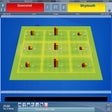
This app lets you create professional soccer training drills using a vast library of vector images and export them as high-quality JPEGs.
Enlarged image for SoccerSketch
SoccerSketch 0/4
  • Pros

    • Create drills with 120 diverse vector images
    • Export drills as high-quality JPEG files
    • Printer-friendly mode for clear black and white output
    • Save and load drills in a proprietary ssdf format
    • Supports further tweaks and re-export of saved drills
  • Cons

    No Cons available


Used SoccerSketch for Windows?


Explore More


Full Specifications

GENERAL
Release
Latest update
Version
2.3
OPERATING SYSTEMS
Platform
Windows
Operating System
  • Windows 8
  • Windows XP
  • Windows 7
  • Windows 10
  • Windows Vista
Additional Requirements
Adobe Air
POPULARITY
Total Downloads
11,055
Downloads Last Week
3

Report Software

Program available in other languages


Last Updated


Developer’s Description

Simulate soccer trainings and create on the fly excellent illustrations of your exercises.
Create Drills:You can choose from 120 different vector images to create your own drill. These high quality drills will illustrate your training in a perfect way. Like nothing else!Export Drills:After you have created your drill go ahead and export it as a high quality JPEG file. In a wink of an eye you have converted your drill in a lightweight file. After that you can use it for presentations, for your own archive or just share it with your friends.Printer Friendly:You want to have a nice and clear looking drill, which is easy to print. Switch the printer friendly mode on. This allows you to have a black and white background.Load And Save:Save your created drill as a ssdf file. This file format is especilly created for SoccerSketch. It contains all the information, which are required forfurther tweaks and re-export.

Download.com
Your review for SoccerSketch