Used Smart Switch for Windows 10 for Windows?


The Download Now link directs you to the Windows Store, where you can continue the download process. You must have an active Microsoft account to download the application. This download may not be available in some countries.

Smart Switch for Windows 10 Analysis

AI Assisted Content ·

Not written by CNET Staff.

Smart Switch for Windows 10 is a free coding utility designed to streamline the development process. This application facilitates seamless transitions between different coding environments and supports various programming languages, making it a versatile tool for developers. With an intuitive interface, users can easily manage their projects and enhance productivity through efficient code organization.

Top Recommended Alternative

The software offers features such as syntax highlighting, code snippets, and version control integration, which are essential for modern coding practices. Additionally, Smart Switch supports multiple file formats, allowing developers to work with diverse projects without compatibility issues. This utility is particularly beneficial for those looking to optimize their workflow and improve their coding efficiency.

Enlarged image for Smart Switch for Windows …
Smart Switch for Windows 10 0/3

Used Smart Switch for Windows 10 for Windows?


Explore More


Full Specifications

GENERAL
Release
Latest update
Version
0
OPERATING SYSTEMS
Platform
Windows
Operating System
Windows 10
Additional Requirements
Available for Windows 10 Mobile, Windows Phone 8.1, Windows Phone 8 (ARM)
POPULARITY
Total Downloads
626
Downloads Last Week
0

Report Software

Program available in other languages


Last Updated


Developer’s Description

By sameerk
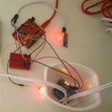
If you are an Arduino fan, this app is for you.
If you are an Arduino fan, this app is for you. This app is for Arduino project https://www.hackster. io/sameerk/smart-switch. If you build the hardware part of the project; but do not wish to build the app, you can download this app and use it. It is an open source app with source on Github (https://github.com/sameerkapps/smart-switch). If you like the app, spread the word and give it rating. It is important that the Arduino is paired with the phone prior to using the App. The app works only with the paired devices. 1. Start the App 2. Click Refresh 3. Select the desired device. (It will be something like HC-XX if you use HY-MCU) 4. Click Connect 5. Wait for it to display "Connected Successfullly". 6. Toggle Off to turn the device on. This will change text to On. 7. Toggle On to turn it off.

Download.com
Your review for Smart Switch for Windows 10
Download.com

AI Assisted Content Disclosure

Content created and reviewed by Softonic with information obtained from sameerk, using AI.

CNET's editorial team was not involved in the creation of this content. Opinions, analysis and reviews were not provided by CNET.