Used SkyRemote for Windows?
Editors’ Review
Skype keeps proving useful for more than just Internet phone calls and video chat. Such as? Well, Scand's free SkyRemote lets Skype users remotely view and control other Skype users' desktops, and vice versa (much like a VPN) as long as both use Skype and have SkyRemote installed. It's not a Skype Extra but a standalone Windows program. With your permission, SkyRemote accesses Skype's contact information and app-to-app commands. SkyRemote also enables remote access to the Clipboard and other Windows features. What else? How about conferencing, lossless graphics codecs that give the best possible picture with the fastest possible connection, support for multiple Skype accounts and simultaneous desktop displays, and the ability to record sessions as AVIs? SkyRemote works in Windows versions as old as 2000, though the developer recommends at least 1GB of processor power and 256MB of RAM. Obviously, newer, faster PCs will achieve much better results. Also obviously, you'll need Skype to use SkyRemote, plus friends who also use it.
Installing SkyRemote requires a reboot. SkyRemote's download includes its own custom Display Mirror VGA Compatible driver designed to work with your graphics drivers to boost both local and remote desktop and display performance. Your screen may stay black longer than usual, but don't panic! The new driver takes a while to install. You'll need to open Skype and give SkyRemote permission to access it. When SkyRemote is active, right-clicking its green system tray icon accesses the Configuration options, which include plug-ins, AVI settings, and JPEG compression. Help includes standalone and Web-based user manuals and other resources.
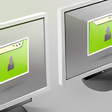
Since Skype lets you have as many accounts as you need, we were able to try SkyRemote on side-by-side but separate PCs, with no common network or connection beyond the Internet and Skype. SkyRemote is easy to use. It automatically detects friends who also have the program installed, which enables remote sessions. Available users show up in the system tray menu; clicking Accept starts a session. Remote users must also accept to establish sessions. SkyRemote's Session Window let us both view and control each PC's desktop from the other machine. Very cool!