Used SingleCrystal for Windows for Windows?


Editors’ Review

Download.com staff
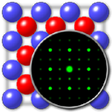
SingleCrystal offers a sophisticated environment for simulating electron diffraction and reciprocal lattice sections. It enables real-time crystal rotation, precise measurement of reflections, and seamless integration with CrystalMaker for comprehensive structural analysis.
Enlarged image for SingleCrystal for Windows
SingleCrystal for Windows 0/1
  • Pros

    • Simulates complex electron diffraction patterns and reciprocal lattice sections accurately
    • Displays interactive stereographic projections of planes and zone axes
    • Enables real-time pattern updates during manual crystal rotation and tilting
    • Provides specialized tools for measuring and indexing individual reflections
    • Supports direct data transfer and visualization from CrystalMaker software
  • Cons

    • Standalone operations require specific CrystalMaker file format compatibility
    • Software tools are restricted to single crystal diffraction analysis
    • Structural modeling capabilities require the separate CrystalMaker application
    • Lacks built-in support for simulating powder or polycrystalline diffraction
    • Native support for neutron or X-ray diffraction simulations is absent

Used SingleCrystal for Windows for Windows?


Explore More


Full Specifications

GENERAL
Release
Latest update
Version
2.2.9
OPERATING SYSTEMS
Platform
Windows
Operating System
  • Windows 10
  • Windows Vista
  • Windows 8
  • Windows XP
  • Windows 7
Additional Requirements
None
POPULARITY
Total Downloads
532
Downloads Last Week
1

Report Software

Program available in other languages


Last Updated


Developer’s Description

Find and understand diffraction patterns from single crystals.

SingleCrystal is an elegant, easy-to-use program for visualizing and understanding diffraction patterns from single crystals. SingleCrystal lets you simulate simulation electron diffraction patterns and reciprocal lattice sections - which can be compared directly with observed data. The program also lets you display stereographic projections of planes, traces, zones and zone axes. You can rotate crystals with the mouse, or tilt controls, and observe how the diffraction pattern changes. Screen tools allow easy measurement and indexing of reflections, as well as the display of phase information for scattered beams.

SingleCrystal is designed to work with CrystalMaker, allowing users to visualize crystal structures then with a single menu command, display the diffraction pattern in SingleCrystal. The program can also be used as a stand-alone application, reading from CrystalMaker "crystal" files.


Download.com
Your review for SingleCrystal for Windows