Used Shortcutbar for Windows?


Shortcutbar Analysis

AI Assisted Content ·

Not written by CNET Staff.

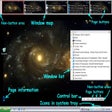
Shortcutbar is a free application designed for Windows that enhances desktop organization by allowing users to create a customizable shortcut bar. It provides an intuitive interface for managing frequently used applications and files, making it easier to access them quickly. Users can personalize the appearance of the shortcut bar by selecting different themes and sizes, which can help in decluttering the desktop environment.

Top Recommended Alternative

In addition to its organizational features, Shortcutbar allows for easy drag-and-drop functionality, enabling users to add or remove shortcuts effortlessly. The software supports multiple display configurations, making it suitable for various screen setups. Overall, Shortcutbar is a practical solution for users seeking a more streamlined desktop experience.


Used Shortcutbar for Windows?


Explore More


Full Specifications

GENERAL
Release
Latest update
Version
1.0-beta-1
OPERATING SYSTEMS
Platform
Windows
Operating System
  • Windows 10
  • Windows 8
  • Windows 11
Additional Requirements
None
POPULARITY
Total Downloads
31
Downloads Last Week
0

Report Software

Program available in other languages


Last Updated


Developer’s Description

Organize and access your application and file shortcuts swiftly.
ShortCutBar for Windows (SCB) is a software tool to 'collects' shortcuts of applications and files. The shortcuts can be organized on different panels to make it easier to access shortcuts fast and easy. Switching between different panels need only one mouse click, the shortcuts can be accessed on the panels. Only a button must be clicked.The SCB applicaion may be docked on each screen edge, if the system is a multi monitor setup the SCB application can be placed on each of the screens.

Download.com
Your review for Shortcutbar
Download.com

AI Assisted Content Disclosure

Content created and reviewed by Softonic with information obtained from Flying Banana, using AI.

CNET's editorial team was not involved in the creation of this content. Opinions, analysis and reviews were not provided by CNET.