Used ScreenShot2Email for Windows?
Editors’ Review
Download.com staff
Top Recommended Alternative

Pros
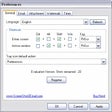
- Captures either the entire screen or just the active window.
- Initiates the capture and email process using user specified hotkeys.
- Automatically converts the screenshot to a necessary graphic format.
- Adds a specified watermark directly onto the captured image.
- Compatible with all standard mail client applications.
Cons
- Does not mention support for screen recording or video capture.
- Lacks integrated tools for image editing or annotations.
- The graphic formats supported for conversion are unspecified.
- Options for saving files locally without immediate emailing are not detailed.
Used ScreenShot2Email for Windows?
Explore More

CTMailer
Paid
Duplicate Contacts Eliminator for Microsoft Outlook (64-bit)
Trial version
DecyrptMSN
Trial version
Hide Fax Numbers for Microsoft Outlook
Trial version
Mac Mail Email Extractor
Free
Quick Text Hotkeys for Microsoft Outlook (64-bit)
Trial version
Exporter for Outlook
Trial version
Watch Folders for Outlook 2007/Outlook 2010 (32-bit)
Trial version
EmailCellUsage
Free
MailsSoftware Free OST Viewer
Free
Duplicate Posts Eliminator for Microsoft Outlook (64-bit)
Trial version
Mass Mailing News Free Edition
Free