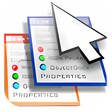
RightClick for Windows
- By PSA
- Trial version
- User Rating
Used RightClick for Windows?
Editors’ Review
Download.com staff
Top Recommended Alternative

Pros
- Add, delete, and edit context menu items.
- Create backups of the context menu configuration.
- Restore context menu settings from a backup file.
- Add application shortcuts for quick launching.
Cons
- No option to create cascading sub-menus.
- Does not support adding menu item separators.
- Lacks ability to change menu item icons.
- No detailed documentation provided in description.
Explore More

Bluetooth Virtual COM10
FreeTapPad
PaidpsCmd
Freecp006289.exe
Free22320-w2k10804a02.exe
FreeSierra Wireless AirCard GPRS Modem
FreeWiNRADiO G313 PCI radio receiver
FreeIntersil PRISM Wireless LAN PCI Card
FreeIntersil PRISM Wireless LAN PCI Card
Free
AppToService
Trial version
GVG RDP Remover
FreeSP11816.EXE
Free











