Used RCCaller for iOS?


RCCaller Analysis

AI Assisted Content ·

Not written by CNET Staff.

RCCaller is a comprehensive sports software application designed for iPhone users, providing a unique blend of entertainment and utility for sports enthusiasts. This full version app offers various features tailored to enhance the sports experience, including real-time updates, event scheduling, and interactive features that allow users to engage with their favorite sports events. With an intuitive interface and easy navigation, RCCaller aims to provide a seamless experience for sports fans looking to stay connected with the latest happenings in their preferred sports.

Top Recommended Alternative

The app supports various sports categories, allowing users to personalize their feeds according to their interests. RCCaller also includes options for notifications and reminders, ensuring that users never miss important events or updates. Its user-friendly design ensures that even those new to sports applications can easily access and utilize its features, making it a valuable addition to the entertainment software category on the iPhone.

Enlarged image for RCCaller
RCCaller 0/1

Used RCCaller for iOS?


Explore More


Full Specifications

GENERAL
Release
Latest update
Version
1.3
OPERATING SYSTEMS
Platform
iOS
Operating System
iOS 12.1.2
Additional Requirements
Compatible with: iphone4, ipad2wifi, ipad23g, iphone4s, ipadthirdgen, ipadthirdgen4g, iphone5, ipodtouchfifthgen, ipadfourthgen, ipadfourthgen4g, ipadmini, ipadmini4g
POPULARITY
Total Downloads
10
Downloads Last Week
0

Report Software

Last Updated


Developer’s Description

Ever want to practice a new sequence but your buddy hasn't shown up to the field to call for you? This application answers the need for Precision...
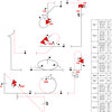
Ever want to practice a new sequence but your buddy hasn't shown up to the field to call for you? This application answers the need for Precision Aerobatics pilots for NSRCA/F3A/Classic/Senior Pattern and/or IMAC (International Miniature Aerobatics Club) or any other discipline where you need a hands-off reminder of what comes next in your routine.Aerobatic sequences are pulled from the cloud so when new sequences are provided by the NSRCA and updated in the cloud (as I just did for Advanced and Masters) they are updated for all users instantly. You can also add sequences of your own (i.e. old-school classic personal sequences) or customize the standard sequences so they are called the way you want!Voice recognition call control ("Next", "Repeat that", "Back") works well in a quiet environment, but at the field, you will probably prefer tilt control. I used a QuadLock mount attached to the back of a cheap iPhone case with the lock mount on the bottom of my transmitter. Set up your sequence, turn on tilt control for roll or pitch, mount the phone to the bottom of your transmitter and then when you are ready to start the call, hit the play button on your headphones, the app will calibrate to the position of the phone and you can roll right to advance the call or roll left to move back a maneuver.Regardless of the control settings, you can always use your headset remote to control the call, a "next song" click on the remote will advance the call, "previous song" will move back a maneuver.Video of the app in use: https://www.youtube.com/watch?v=FOEfi3VqnCQ

Download.com
Your review for RCCaller
Download.com

AI Assisted Content Disclosure

Content created and reviewed by Softonic with information obtained from Peter Vogel, using AI.

CNET's editorial team was not involved in the creation of this content. Opinions, analysis and reviews were not provided by CNET.