Used Premium Clock for Windows?


Editors’ Review

Download.com staff
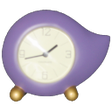
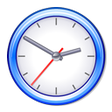
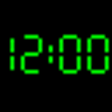
You've skinned your calculator. You've upgraded your e-mail client. So why are you still using the built-in Windows clock? Premium Clock spiffs up the underpowered desktop timepiece with alarms, a calendar, and themes that match the clock with the desktop wallpaper. A system-tray icon provides easy access to the program's options. You can adjust the size and position of the desktop clock and set an alarm to display a message, play a sound, or perform a system action such as rebooting your PC. Premium Clock synchronizes with a time server to keep it accurate to the second, (though the function does not appear to work automatically). The program comes with about 20 analog and digital skins for the desktop clock and an autochange option that cycles through them at set intervals. We thought using almost 19MB of memory was a bit much, and the $39.95 price for the registered version is pretty steep. Premium Clock is a solid, good-looking program--it's just a bit overpriced.

What’s new in version 2.70

Version 2.70 improves interface adds new skins.

Used Premium Clock for Windows?


Explore More


Full Specifications

GENERAL
Release
Latest update
Version
2.70
OPERATING SYSTEMS
Platform
Windows
Operating System
  • Windows 10
  • Windows Vista
  • Windows 7
  • Windows XP
Additional Requirements
Windows XP/Vista/7
POPULARITY
Total Downloads
46,805
Downloads Last Week
0

Report Software

Program available in other languages


Last Updated


User Reviews

3.7/5

9 User Votes


Developer’s Description

Jazz up your desktop with analog/digital clock with beautiful skin collection.

Download.com
Your review for Premium Clock