Used PocoMail for Windows?


Editors’ Review

Download.com staff
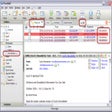
PocoMail offers robust email management with advanced filtering, virus protection, and user-friendly features for efficient communication.
  • Pros

    • Manages multiple email accounts and address books
    • Advanced Bayesian and junk-mail filtering capabilities
    • Supports message scripting, templates, and mailing lists
    • Displays attachments inline, reducing the need for external viewers
    • Easy to install and uninstall, no DLLs installed
  • Cons

    • No mention of calendar or task management integration
    • No specific details on encryption protocols supported
    • Limited information on mobile or web access
    • User interface customization through skins is optional, not default

Used PocoMail for Windows?


Explore More


Full Specifications

GENERAL
Release
Latest update
Version
4.8-build-4400
OPERATING SYSTEMS
Platform
Windows
Operating System
  • Windows 10
  • Windows XP
  • Windows 98
  • Windows ME
  • Windows 2000
  • Windows NT
Additional Requirements
None
POPULARITY
Total Downloads
102,624
Downloads Last Week
1

Report Software

Program available in other languages


Last Updated


User Reviews

3.4/5

28 User Votes


Developer’s Description

Manage multiple e-mail accounts and create filtering scripts while staying virus-protected.

PocoMail was developed from the ground-up to protect users from viruses and spam that plague other commonly used products. This means that PocoMail is powerful, fast, secure, safe, and easy to use to maintain. Features included: learning Bayesian filters, intelligent junk-mail filters, message scripting, message templates, mailing list support, POP and IMAP functions, HTML support, multiple accounts, multiple address books, multiple signatures, optional skins to change application appearance, nested mailboxes, fully multi-threaded operation, display attachments inline without launching external viewer, automatic backup of your mail and program data. PocoMail will even check your spelling. For administrators, moving PocoMail installation from one computer to another is as simple as copying the install directory, as PocoMail does not install any DLLs on the user's computer.


Download.com
Your review for PocoMail