Used Planet Oxygen Plants & Trees Screensaver for Windows?
Planet Oxygen Plants & Trees Screensaver Analysis
AI Assisted Content ·
Not written by CNET Staff.
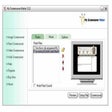
Planet Oxygen Plants & Trees Screensaver is a captivating addition to any Windows desktop, designed to immerse users in the beauty of nature. This free screensaver features stunning visuals of various plants and trees, set against serene backgrounds that evoke a sense of tranquility. Users can enjoy a rotating display of high-quality images that highlight the diversity of plant life, making it an ideal choice for nature enthusiasts and those seeking a calming visual experience.
Top Recommended Alternative
The screensaver operates seamlessly on Windows and offers customization options to adjust the display settings according to user preference. With smooth transitions and vibrant colors, the Planet Oxygen Plants & Trees Screensaver enhances the aesthetic appeal of any workspace while also serving as a reminder of the importance of nature in our lives.
Used Planet Oxygen Plants & Trees Screensaver for Windows?
Explore More

Green Fields 3D Screensaver
Trial version
Valentine 3D Screensaver
Trial versionBURN UFOs Screen Saver - Pack 1
Free
Clock Tower 3D Screensaver
Trial versionButterfly ScreenSaver Volume 2
Trial version50 Words You Must Know Screen Saver
Trial versionStar Screen Saver 1: Hot Ukrainian Girls
Trial versionModels Photo Screensaver
FreeCool Thanksgiving Screensaver
FreeHouse MD Screensaver
FreeCats and Kittens ScreenSaver
Trial version
Scenery Surrounds Maui Moments
Trial version