Phonetizer for Windows
- By Aleksei Vinidiktov
- Trial version
- User Rating
Used Phonetizer for Windows?
Phonetizer Analysis
AI Assisted Content ·
Not written by CNET Staff.
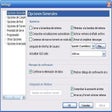
Phonetizer is a trial version educational software designed for Windows, aimed at facilitating language learning through phonetic transcription. It helps users convert text into phonetic representations, making it easier to understand pronunciation in various languages. This tool is particularly beneficial for language learners, educators, and linguists who require accurate phonetic output for effective communication and teaching.
Top Recommended Alternative

The software offers features such as customizable transcription settings, support for multiple languages, and an intuitive user interface that simplifies the learning process. Phonetizer allows users to input text and receive phonetic transcriptions, which can enhance their understanding of language sounds. Its functionality is suitable for both individual learners and classroom environments, providing a valuable resource for anyone looking to improve their language skills.
Phonetizer for Windows
- By Aleksei Vinidiktov
- Trial version
- User Rating
Used Phonetizer for Windows?
Explore More

WordPoint
Trial versionClicktionary (Russian)
Trial versionMHX Literacy Jumpstart
Trial versionClicktionary (Korean)
Trial version
French Course + Collins Dictionary
Trial version
Berlitz Basic English<>Italian Dictionary
Trial version
NJStar Japanese Word Processor
Trial version
IdiomaX Office Translator
Trial versionVocabTracker
Trial versionClicktionary (Traditional Chinese)
Trial versionRocketReader Vocab American Edition
Trial version
RocketReader Vocab British Edition
Trial version