Used PDF Creator for Windows?


PDF Creator Analysis

AI Assisted Content ·

Not written by CNET Staff.

PDF Creator is a multimedia application designed for Windows that simplifies the process of generating PDF documents from various file formats. It boasts features such as drag-and-drop functionality, batch conversion, and customizable output settings, making it suitable for both personal and professional use. Users can quickly transform images, Word documents, and other formats into PDFs with just a few clicks, enhancing productivity and efficiency.

Top Recommended Alternative

The software supports various input formats and allows users to adjust settings like page size and orientation before finalizing the PDF. Its intuitive interface ensures that even those with minimal technical knowledge can navigate the application easily. Additionally, PDF Creator offers a trial version, enabling users to explore its functionalities before committing to a purchase. This flexibility makes it an appealing option for anyone in need of reliable PDF creation tools.

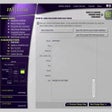
Enlarged image for PDF Creator
PDF Creator 0/1

Used PDF Creator for Windows?


Explore More


Full Specifications

GENERAL
Release
Latest update
Version
0.8
OPERATING SYSTEMS
Platform
Windows
Operating System
  • Windows 10
  • Windows Server
  • Windows 98
  • Windows Vista
  • Windows 7
  • Windows 8
  • Windows ME
  • Windows NT
  • Windows 2000
  • Windows XP
  • Windows 2003
Additional Requirements
None
POPULARITY
Total Downloads
1,030
Downloads Last Week
0

Report Software

Program available in other languages


Last Updated


User Reviews

2.5/5

2 User Votes


Developer’s Description

Create PDF files from Word, ePUB, HTML, XLS, JPEG, TXT, etc. documents with ease.
Epubor PDF Creator is a powerful and professional PDF builder, it can easily create PDFs from MS Word, PPT, HTML, TXT and other documents.You can convert Word, Excel, Images, HTML, TXT, ePUB and other formats to PDF which is the standard publishing benchmark of almost entire writers' choice. Then you can read the output PDF files on mainstream whatever e-readers such as smartphones, iPad, Sony readers, Kindle, Nook, Kobo, etc.

This Great PDF converter and PDF creator is quick and reliable. Moreover, you can straight drag and drop or manually add as many documents as you want into this awesome program, then click the conversion button to create several PDF files at one time, only need three steps, no-hard to create PDF documents. It is so easy for our customers. Most important, the output PDF files has the same quality as the source files, no content loss, guarantee your reading effect. So, from now on, enjoy your PDF files right now.

Marin Characters:
  • Create PDFs from any program that is able to print, like Word, ePUB, HTML, TXT and so on.
  • Auto save files to folders as a PDF files and automatically rename PDF based on the same name as your original file.
  • One click to create PDFs from all the documents, fast conversion speed and easy way to use. Convert one files within seconds, convert dozens of files within minutes, Save much of your time.
  • Supports all Windows OS(32/64 Bit).

Download.com
Your review for PDF Creator
Download.com

AI Assisted Content Disclosure

Content created and reviewed by Softonic with information obtained from Epubor, using AI.

CNET's editorial team was not involved in the creation of this content. Opinions, analysis and reviews were not provided by CNET.