Used Panecal Scientific calculator for Android?


Panecal Scientific calculator Analysis

AI Assisted Content ·

Not written by CNET Staff.

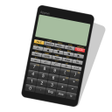
Panecal Scientific Calculator is a versatile tool designed for Android users, offering a wide range of functions tailored for scientific calculations. This application simplifies complex mathematical tasks with features including trigonometric calculations like sine, cosine, and tangent, as well as logarithmic functions. The user-friendly interface is ideal for both students and professionals, making advanced calculations more accessible.

Top Recommended Alternative

In addition to its core mathematical capabilities, Panecal provides an extensive memory and variable function, enabling users to store and modify values efficiently within formulas. The app supports various unit conversions, such as angles in degrees, radians, and gradians, along with customizable decimal points and grouping separators. Users can also adjust vibration settings for a personalized experience, enhancing usability across different scenarios.

Enlarged image for Panecal Scientific calcul…
Panecal Scientific calculator 0/4

Used Panecal Scientific calculator for Android?


Explore More


Full Specifications

GENERAL
Release
Latest update
Version
7.7.0
OPERATING SYSTEMS
Platform
Android
Operating System
Android 15.0
POPULARITY
Total Downloads
158
Downloads Last Week
1

Report Software

Program available in other languages


Last Updated


Developer’s Description

Scientific calculator with multi-line formula view.
A multiline scientific calculator which can input a numerical formula.[Features] * Re-edit the numerical formula by key.* A vibration and orange color key input confirmation. You can modify the vibration length in ALT+Setup.* Arithmetic, trigonometric, inverse trigonometric, exponential, logarithmic function, power, power root function, factorial, and corresponds to the absolute value operations.* DEG, RAD, GRAD mode.* FloatPt, Fix, Sci, Eng mode.* BS key, DEL key, INS key.[adjustment of the key location]In the case of new installation, the Panecal adjusts key location suitable for the resolution of the smartphone automatically. When it doesn't fit keys in the screen, you can adjust the key location automatically by changing parameter Margin function key=0, Margin ten key=0. In addition, you can set keys location inputting any number into these parameters.[system environment]More than Android OS 2.1More than resolution HVGA(480 *320)[Disclaimer] Damage caused by the use of this software, the author also claims lost profits or any third party not assume any responsibility, Please note.Recent changes:Version 2.3.0 Date 2011.11.26- To improve security(Panecal Plus)Version 2.2.6 Date 2011.11.21- Fix to fit keys on the screen.Version 2.2.5 Date 2011.11.20 - Modify the help document in EnglishVersion 2.2.4 Date 2011.11.15 - Bring together the help document Panecal and Panecal Plus Version 2.2.3 Date 2011.11.14 - Fix a calculation logic. Version 2.2.2 Date 2011.11.12 - Fix program to Indicate a error if there is "=" among the formulaContent rating: Everyone

Download.com
Your review for Panecal Scientific calculator
Download.com

AI Assisted Content Disclosure

Content created and reviewed by Softonic with information obtained from Noriyasu.Kutsuzawa, using AI.

CNET's editorial team was not involved in the creation of this content. Opinions, analysis and reviews were not provided by CNET.