Used MyIPAlert for Windows?


Editors’ Review

Download.com staff
MyIPAlert notifies you automatically via email whenever your computer's IP address changes. It's perfect for remote access and home servers, providing a history log and system tray visibility.
Enlarged image for MyIPAlert
MyIPAlert 0/1
  • Pros

    • Sends email alerts for IP address changes
    • Supports Gmail and most ISP SMTP servers
    • Configurable alerts can be turned on or off
    • Displays IP changes with balloon hints
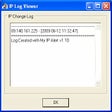
    • Keeps a log of all past IP changes
  • Cons

    • Alerts are sent via email only
    • No mobile app or other notification methods
    • No mention of dynamic DNS service integration
    • Balloon hints may be missed if not actively watching
    • Limited to Windows system tray

Used MyIPAlert for Windows?


Explore More


Full Specifications

GENERAL
Release
Latest update
Version
1.1
OPERATING SYSTEMS
Platform
Windows
Operating System
  • Windows 10
  • Windows Vista
  • Windows XP
  • Windows 7
  • Windows 2000
Additional Requirements
None
POPULARITY
Total Downloads
148
Downloads Last Week
0

Report Software

Program available in other languages


Last Updated


Developer’s Description

Stay alerted whenever there is an IP change on your PC.
With MyIPAlert software, know when our computer IP address had changed and then notify us with the new IP whether we were at home or away. Supports Google Gmail and most ISP SMTP servers. MyIPAlert automatically sends an email alert when your computer IP address changes to any number of e-mail addresses. Handy for those that run game servers at home. Alerts are configurable and can be turned on or off. A nice Balloon style hint will also display when your IP address has changed. A log is also kept of all past IP changes, so you can look back and see your IP history. MyIPAlert will sit quietly in your Windows system tray, move your mouse over the tray and see your IP address anytime, uses very little resources.

Download.com
Your review for MyIPAlert