Used MindStick DataConverter for Windows?


Editors’ Review

Download.com staff
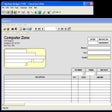
This free tool lets users view, sort, filter, and export data from numerous sources including databases and files into various formats like Excel, XML, and HTML.
Enlarged image for MindStick DataConverter
MindStick DataConverter 0/2
  • Pros

    • Supports a wide range of data sources.
    • Offers sorting, filtering, and grouping functionalities.
    • Enables custom query execution.
    • Facilitates non-database write modifications.
    • Exports data to Excel, XML, and HTML formats.
  • Cons

    • Free version limitations not specified.
    • No mention of cloud integration.
    • Specific advanced feature details are scarce.
    • User interface details are not provided.

Used MindStick DataConverter for Windows?


Explore More


Full Specifications

GENERAL
Release
Latest update
Version
1.0
OPERATING SYSTEMS
Platform
Windows
Operating System
  • Windows 10
  • Windows Vista
  • Windows 7
  • Windows Server
  • Windows 8
  • Windows XP
  • Windows 2000
  • Windows 2003
Additional Requirements
.NET Framework 3.5 SP1
POPULARITY
Total Downloads
270
Downloads Last Week
1

Report Software

Program available in other languages


Last Updated


User Reviews

5/5

1 User Votes


Developer’s Description

Export data coming from different data sources.
MindStick DataConverter is a free powerful, easy to use, must have tool for users who want single viewer capable of exporting, sorting, filtering, group by and custom query execution on data coming from different data sources like Oracle, Access, MS SQL, MS Access, Pervasive, DSNs etc. and even EXCEL,CSV, XML and HTML file(s) containing exported data. DataConverter is useful for database users as well as for non-database users who have to deal with data, but in EXCEL,CSV, XML and HTML file format. Users can view data in easily readable grid format from all kinds of data sources and perform single or bulk non-database write modification(s), sorting, filtering and other useful operations and if needed export the data to EXCEL, XML and HTML formats. These exported files can be shared with users who can view these standard files with other tools and also with MindStick Data Converter users who can not only view the file in grid format but also suggest their changes, perform sort, filtering and other operations before sending it back with their input. MindStick DataConverter is very easy to use and can be used by a simple user who is not an expert in database technology but at the same time can provide advanced options to database administrators who want to see data from different data sources in one place, save their custom connections with nick names, save their frequently used queries as query snippets and perform very powerful sorting, filtering, group by and non-database write modifications and export the results in desired format which could then be shared with other users.

Download.com
Your review for MindStick DataConverter