Used Match Up for Windows?


Editors’ Review

Download.com staff
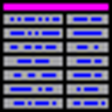
This software lets users play a simple matching game. Players drag items from one column to match corresponding items in the other. It supports creating and loading custom lists of words, phrases, or questions for personalized play.
Enlarged image for Match Up
Match Up 0/1
  • Pros

    • Users can create and load custom content lists.
    • Interface uses simple drag-and-drop mechanics.
    • Provides immediate visual feedback for correct and incorrect matches.
    • A point-based scoring system tracks user performance.
    • Supports matching for words, phrases, and math questions.
  • Cons

    • Number of matching pairs per game is fixed at ten.
    • No built-in timer or alternative game modes are described.
    • No mention of support for touch-based interfaces.
    • No features for sharing or importing lists from other users.
    • The game is limited to a two-column layout.

Used Match Up for Windows?


Explore More


Full Specifications

GENERAL
Release
Latest update
Version
1.14
OPERATING SYSTEMS
Platform
Windows
Operating System
  • Windows 10
  • Windows Server
  • Windows ME
  • Windows 7
  • Windows 2000
  • Windows XP
  • Windows 2003
  • Windows NT
  • Windows Vista
  • Windows 98
  • Windows 8
Additional Requirements
None
POPULARITY
Total Downloads
120
Downloads Last Week
0

Report Software

Program available in other languages


Last Updated


User Reviews

1/5

1 User Votes


Developer’s Description

Match words or phrases game.
Match words or phrases game. List 10 phrases or maths questions and drag answers to match them. Facility to add your own lists.On the main screen you will see two columns, A and B. Each column has 10 rows. At the top of the screen is a drop down box containing a list of the files available to be played in the program. Click on this box and choose a file from the list.Once chosen, the file will be loaded and all the rows in both columns will be filled with the words or phrases from the file. To match a pair up, you need to study column B to see which word or phrase matches the one in column A. When you think you have found one, left mouse click and drag the entry in column B up or down until it is next to the word or phrase you think it matches in column A. If it matches, a green tick will appear and you will be awarded points. If it doesn't match, you will receive a red cross and no points. Match all 10 rows up to complete the file.

Download.com
Your review for Match Up