Used Mapdrive x64 for Windows 7 for Windows?


Editors’ Review

Download.com staff
Mapdrive x64 provides an easy way to map network drives. It efficiently stores parameters, saves configurations, and manages drive connections directly from its interface.
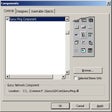
Enlarged image for Mapdrive x64 for Windows …
Mapdrive x64 for Windows 7 0/1
  • Pros

    • Stores frequently used parameters
    • Saves configurations in multiple files
    • Hides or unhides password entry
    • Executes command shell and ghost32
    • Built-in help is available
  • Cons

    • Ghost32 is not included with the application

Used Mapdrive x64 for Windows 7 for Windows?


Explore More


Full Specifications

GENERAL
Release
Latest update
Version
2.77.3
OPERATING SYSTEMS
Platform
Windows
Operating System
  • Windows Server
  • Windows 10
  • Windows XP
  • Windows Vista
  • Windows 2003
  • Windows 7
Additional Requirements
None
POPULARITY
Total Downloads
280
Downloads Last Week
1

Report Software

Program available in other languages


Last Updated


Developer’s Description

Hide or unhide password entry and execute the command shell and ghost32 from the interface.
Mapdrive x64 2.77-3 for Windows 7 makes it easy to map drives. It stores frequently used parameters and can save its configuration in as many files as needed. Mapdrive allows the user to hide/unhide password entry, executes the command shell and ghost32 (ghost not included) from the interface. Drives in the users environment are displayed and can be connected/disconnected. Currently help is built-in to the interface. Mapdrive x64 is ideal for dynamically mapping deployment points for the Microsoft Deployment Toolkit 2010, and basic instructions are provided for that function. It can also be used for WinPE x64 or unattended deployments, or use it on the desktop to easily map drives.

Download.com
Your review for Mapdrive x64 for Windows 7