Used M-Calc for Windows?


Editors’ Review

Download.com staff
M-Calc is a compact and user-friendly calculator app that supports both general and scientific calculations. Its customizable interface and extensive functions make it ideal for daily use.
  • Pros

    • Compact design with optional numeric button display.
    • Keyboard operation support for efficient input.
    • Adjustable font size for the numerical display.
    • Customizable skins for personalized appearance.
    • Supports general, scientific, unit, date, and loan calculations.
  • Cons

    • General calculator key operation mimics specific brands.
    • No mention of advanced mathematical functions beyond scientific.

Used M-Calc for Windows?


Explore More


Full Specifications

GENERAL
Release
Latest update
Version
5.70
OPERATING SYSTEMS
Platform
Windows
Operating System
  • Windows 7
  • Windows 10
  • Windows Vista
  • Windows 8
  • Windows Server
Additional Requirements
None
POPULARITY
Total Downloads
223
Downloads Last Week
1

Report Software

Program available in other languages


Last Updated


Developer’s Description

Perform various calculations with ease.

M - Calc is a compact calculator pursuing ease of use. You can erase the numeric buttons on the window assuming you want to operate with the keyboard. Since only numeric windows are displayed and do not take up space, it is convenient to use M - Calc while doing other work. You can freely change the font size of the numerical window.

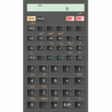
If you stick to the design, you can create your own skin and apply it. Not only appearance but also calculation function are enriched. It corresponds to both general calculators and scientific calculators. A general calculator can be handled by the same key operation as Sharp or Citizen type. Unit conversion, date time calculation, loan repayment amount calculation are equipped with necessary and sufficient functions.


Download.com
Your review for M-Calc