Perform scientific calculations with fraction and repeating decimals support.
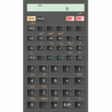
Scientific calculator for Windows and Android. Calculator features are: up to a hundred decimal places and 9 digits of exponent,landscape, portrait and expanded window format,several graphical themes,basic operation including percentage, modulo, negation;unlimited number of braces,operator priority,repeated operations,advanced number operation such as random numbers, combinations, permutations, common greatest divisor;goniometric and hyperbolic functions,powers, roots, logarithms;degrees, minutes and seconds conversion,fixed point, scientific and engineering display format,display exponent as SI units prefix,mixed and improper fractions,periodic numbers and their conversion to fractions,memory operations with 10 extended memories,clipboard operations,most functions accessible through hot-keys,tool tips with clear description of functions,result history,binary, octal and hexadecimal numeral systems,logical operations and bitwise shifts,fundamental physical constants,"always on top" view.Calculator has many settings to manage display numbers precision, full screen mode, decimal and thousand separators.Current roadmap is to implement statistical functions, complex numbers, expression evaluation, graphs.
This app DOES have an Android version and it is even better than the Windows one with more functions, more themes, support for complex numbers and a formula viewing mode showing radicals, stacked fractions, some constants in results.
Anyway it is the best calculator ever found on Windows (forget the ugly default calculator of Windows)
Cons
None at all. Just hope that that Windows version will be updated to reach the same level as the Android one for the missing features. But I bet that Microsoft complicates the task for developers on Windows 10.
May be the developer is trying to port it to Windows 10 for Phone using the "Universal" development model required now for apps in the Windows Store, but does not want to break his existing excellent code for Android.
Summary
Recommanded by everyone that has used it. Suitable for use in schools, labs, or just as an everyday calculator where it is still simpler to use that the default calculator of Windows and its many defects.
Nice lightweight calculator with scientific functions.
Henry829
Pros
- intuitive user interface and many hotkeys to easily handle complex operations
- nice design and real look
- arbitrary percision
- repeating decimals
- fractions
Cons
Doesn't have Android version at the moment.
Summary
Like this calculator and looking forward to new versions.