Used Khmer Color Keyboard 2018: Khmer Language Keyboard for Android?
Khmer Color Keyboard 2018: Khmer Language Keyboard Analysis
AI Assisted Content ·
Not written by CNET Staff.
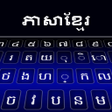
Khmer Color Keyboard 2018 offers an effective solution for typing in the Khmer language on Android devices. This free application is designed to facilitate seamless communication in Khmer, making it suitable for both native speakers and learners. Users can easily switch between Khmer and English with a simple tap, enhancing usability for bilingual individuals. The app features a built-in dictionary and auto-correction functionality, which helps users minimize errors while typing, thus streamlining the text input process.
Top Recommended Alternative
In addition to its functional capabilities, Khmer Color Keyboard 2018 allows for extensive customization. Users can choose from a variety of visually appealing themes, fonts, and colors to personalize their keyboard experience. This not only enhances the aesthetic appeal but also allows users to create a unique typing environment. Furthermore, the app supports text copying and pasting, making it convenient for composing messages and emails in Khmer.
Used Khmer Color Keyboard 2018: Khmer Language Keyboard for Android?
Explore More

Qubism 3D modeling
Free
ARES Touch: DWG CAD Viewer & Editor
Free
Onshape 3D CAD
Free
OnStar MyLink
Free
QESS free - Quick Entry Spread Sheet
Free
VyOM Valuation
Free
All in One Mobile Recharge - Mobile Recharge App
Free
Keith's Superstores
Free
All in One Mobile Recharge - Mobile Recharge App
Free
Price Comparison & Online Shop
Free
CAD Pockets - DWG Viewer & Editor
Free
PPT File Reader
Free











