Used Keyboard Plus for Android?


Keyboard Plus Analysis

AI Assisted Content ·

Not written by CNET Staff.

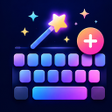
Keyboard Plus is a free productivity application designed for Android devices, focusing on enhancing the user experience through keyboard customization. This app allows users to personalize their keyboards with a wide array of emojis and emoticons, making it particularly appealing for those who frequently engage on social media platforms. Additionally, Keyboard Plus offers an extensive collection of themes and wallpapers, enabling users to change the aesthetic of their devices, contributing to a more personalized experience.

Top Recommended Alternative

The application also provides options for users to upgrade to an ad-free experience through various VIP subscription plans. Furthermore, it includes a comprehensive guide to assist users in maximizing the app's features. The intuitive interface and rich customization options make Keyboard Plus a noteworthy tool for anyone looking to enhance their typing experience on Android.

Enlarged image for Keyboard Plus
Keyboard Plus 0/3

Used Keyboard Plus for Android?


Explore More


Full Specifications

GENERAL
Release
Latest update
Version
2.147
OPERATING SYSTEMS
Platform
Android
Operating System
Android 17.0
POPULARITY
Total Downloads
36
Downloads Last Week
0

Report Software

Program available in other languages


Last Updated


Developer’s Description

Keyboard Plus - A different theme every day!
Keyboard Plus - A different theme every day!We have a built in emoji and emoticon pack for easy writing. Hundreds of themes to choose from: get any style, any color, any look! New themes every day Easy to use Theme Manager with countless beautiful themes Special emoji keyboard layout Keyboard Plus is the fastest Android keyboard because it lets you type freely. No predictions, no interruptions! Clean and elegant design for the built-in keyboard themes Quick settings panel with useful features available directly in the keyboard Numeric keys are always available on your keyboard Big, medium & small keyboard sizes so you can type as fast as lightning Turn off all the symbols for a cleaner look All keyboard themes come with a gorgeous custom font Lots of emoji and emoticons separated into several categories Special layout for easy number writing Increase the font size for better legibility Sound and vibration on key press are quickly turned on or off Key press pop-up animations for every themeWe don't monitor your typing and we never store any personal information. We take your privacy seriously and we will never share any personal data. Everything remains private. Check out our privacy policy here: http://keyboard-plus.com/privacy-policy/ and our website here: http://keyboard-plus.com/Have a suggestion or want a Keyboard Plus theme? Send us a message at contact@keyboard-plus.com and we'll get back to you as fast as possible. In the meantime browse our Theme Manager full of amazing themes and find the right one for you!Recent changes:Improved how you apply a keyboard theme after downloadContent rating: Everyone

Download.com
Your review for Keyboard Plus
Download.com

AI Assisted Content Disclosure

Content created and reviewed by Softonic with information obtained from KeyboardPlus, using AI.

CNET's editorial team was not involved in the creation of this content. Opinions, analysis and reviews were not provided by CNET.