
Used Key2DataFeed for Windows?


Key2DataFeed Analysis

AI Assisted Content ·

Not written by CNET Staff.

Key2DataFeed is a trial version browser add-on designed to enhance data handling capabilities for users on Windows. This software integrates seamlessly with various web browsers, providing tools for efficient data extraction and management. It is particularly useful for professionals who require advanced functionalities for organizing and processing online data feeds. The application supports multiple data formats, making it versatile for different user needs.

Top Recommended Alternative

In addition to its data extraction features, Key2DataFeed offers customizable settings that allow users to tailor the software according to their specific requirements. The intuitive interface ensures that users can navigate through its features without extensive learning curves. With built-in support for automation, the tool simplifies the workflow for data collection tasks, enabling users to focus on analysis and decision-making.

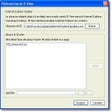
Enlarged image for Key2DataFeed
Key2DataFeed 0/6

Used Key2DataFeed for Windows?


Explore More


Full Specifications

GENERAL
Release
Latest update
Version
1.0.0.5
OPERATING SYSTEMS
Platform
Windows
Operating System
  • Windows 10
  • Windows XP
  • Windows 8
  • Windows 7
  • Windows Vista
Additional Requirements
None
POPULARITY
Total Downloads
53
Downloads Last Week
0

Report Software

Program available in other languages


Last Updated


Developer’s Description

By Key2
Automate the image searching process.
Lots of time spent searching and storing images?Key2Datafeed finds, stores and renames images for you!Automated data and datafeed enrichment for your webshop, presentation, emailing, pricelist or catalogue.

Automate manual actions searching the internet and the endless process of "copy", "paste" and "save as"!

Key2Datafeed, automated finding and storing Images tool:

- scans the internet for images, using a data feed file.

- stores images automatically or semi-automatically under a specified name on your PC.

- creates a new data feed file consisting of columns with the correct image names

In only 5 steps you set Key2DataFeed to search and find the images.

1. Import your datafeed file.

2. Select the column with the search description and the column with the preferred image names.

3. Set the place and name from the image folder and data feed file.

4. Select what kind of images you are looking for.

5. Set how you want to find the images.

In this demo you can only select between 1 or 10 lines from the first 10 lines.


Download.com
Your review for Key2DataFeed
Download.com

AI Assisted Content Disclosure

Content created and reviewed by Softonic with information obtained from Key2, using AI.

CNET's editorial team was not involved in the creation of this content. Opinions, analysis and reviews were not provided by CNET.