Used Jewellery Photo Editor for Android?


Jewellery Photo Editor Analysis

AI Assisted Content ·

Not written by CNET Staff.

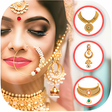
Jewellery Photo Editor is a free Android application designed for users who wish to embellish their photographs with stylish jewelry stickers. The app offers a variety of categories, allowing users to select from an extensive collection of fashionable accessories to enhance their images. With its user-friendly interface, the tool makes it easy to apply different stickers, ensuring that users can effortlessly create eye-catching visuals that reflect their personal style.

Top Recommended Alternative

In addition to its sticker collection, Jewellery Photo Editor provides options to adjust colors and styles, enabling users to tailor their edits to their preferences. This application serves not only as a photo enhancement tool but also as a source of inspiration for fashion enthusiasts looking to explore new trends. With its focus on digital photo enhancement, it caters to those who enjoy creativity in their photography.

Enlarged image for Jewellery Photo Editor
Jewellery Photo Editor 0/4

Used Jewellery Photo Editor for Android?


Explore More


Full Specifications

GENERAL
Release
Latest update
Version
1.7.1
OPERATING SYSTEMS
Platform
Android
Operating System
Android 9.0
POPULARITY
Total Downloads
102
Downloads Last Week
0

Report Software

Program available in other languages


Last Updated


Developer’s Description

... Jewellery Photo Editor. Hey Are you a fashionable girl / fashionable women. And you dont have time to visit shop or market then Dont...

!!! Jewellery Photo Editor !!! Hey Are you a fashionable girl / fashionable women? And you dont have time to visit shop or market then Dont worry, Here is new launched jewelry photo editor app for girls and women girl jewelry with latest collection new fashion gold chain, ear rings, Locket Silver ring, Pink ring, necklace, ear hangings, tikka, diamond jewellery sets, pendants, gold jewellery set and many other Jewellery design like flower crown, sun glasses, Jewellery Photo frames etc with Jewellery Fashion accessory.

Jewellery Photo Editor offers you various HD Indian girl jewelry Fashion jewellery styles for girls to make your photo differently. jewellery photo editor for girls app best new jwellery editor app 2020 for girls. Jewellery photo frames also good for Jewellery photos collections 2019.

Just use app and see what is in this app you really like this jewellery photo editor app. jewellery photo editor with makeup also benefit. girl jewellery photo editor has many categories like You can use Jewellery Photo Editor app for jwellery of gold earrings, Necklaces, Ring, and Bangles. women trending styles gold jewellery collections for bridal dresses matches in jewellery photo editor with makeup app. girl jewellery app 2019 and 2020.

New Jewellery Photo Editor App Features:

- Select photo from your phone gallery or photo or take picture from camera too

- Choose best stylish fashionable and wedding Jewellery stickers from available option to fit in your photo for girl

- rotate, resize tattoos on your photo and save your photo with jewellery

- Save your beautiful creation in your photo gallery jewellery photo editor app album

- share your jewellery editor image on social site or with friends and family

You can also make photo for wedding, birthday, baby shower, baby, valentine day, Christmas, New Year, party dress, bridal dresses, girl dresses, women clothes function etcif you some women workout then suit jwellery awesome on your body.

Then share your pretty cute jewellery editor girls pic with your family Instagram, Facebook, Twitter etc thanks for use jewellery photo editor and gift pretty jewellery photo to your love2019 and 2020 photo editor app for girls.

Thanks Write valuable review if you like this Jewellery Photo Editor app.


Download.com
Your review for Jewellery Photo Editor
Download.com

AI Assisted Content Disclosure

Content created and reviewed by Softonic with information obtained from RoyalQueen Apps, using AI.

CNET's editorial team was not involved in the creation of this content. Opinions, analysis and reviews were not provided by CNET.